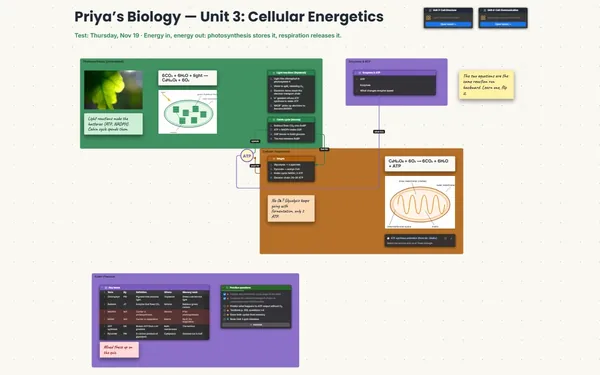
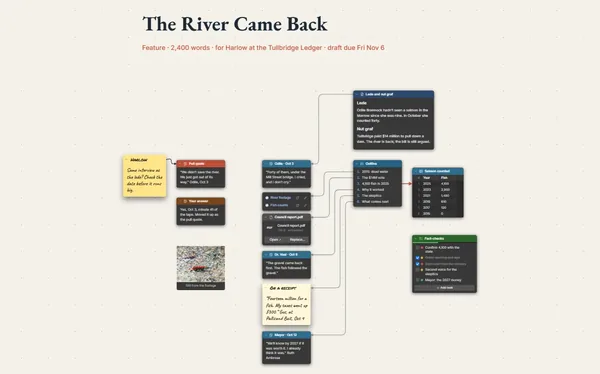
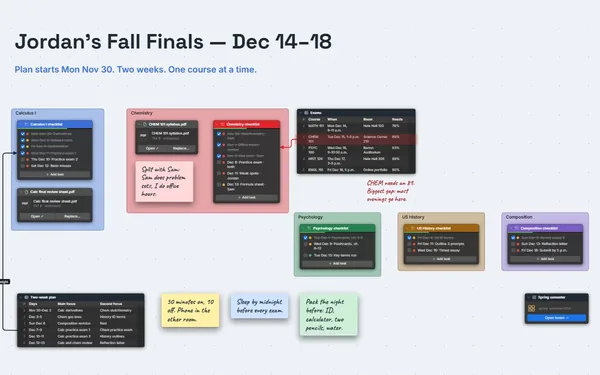
A thesis planner you can see: chapters and sections on one board, with a line from every source to the exact section that uses it.
Futur3 Board is in private beta. Invited accounts get every Subscriber feature free during the beta. No limits on your free boards, saved anywhere.
A thesis planner board: chapters and sections in a list, sources in a table and labeled lines between them.

Six chapters, forty sources, three half-formed arguments. Put the outline in a list, the sources in a table and the loose ideas on sticky notes. Then think about one section at a time.

Run a line from Thornton (2020) to 5.1 Limitations and label it counterpoint. A section with no lines needs reading. A source with no lines needs a reason to stay.

The outline down the middle, sources on one side, methods and figures on the other. Zoom out and you see which chapter carries too much, and which is two pages of hope.

Each chapter has its checklist toward the committee draft. Tick off 4.2 and the figures beside it, and the vague mountain becomes a shape, with a length and an end.

Invite your advisor by email to comment. The arrow lands on the exact section or source, with replies underneath, instead of a note that says “see chapter 3.” Only the board’s owner needs Subscriber.
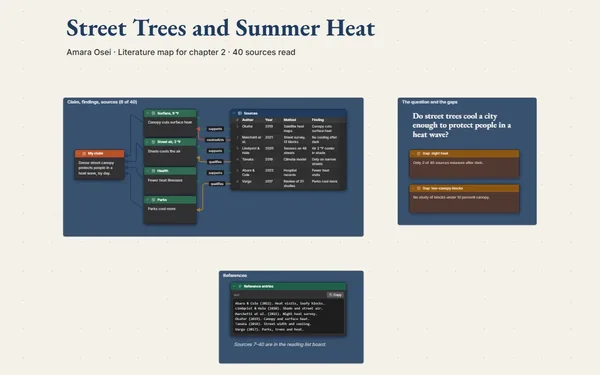
Pick a block to see where it sits on Elena Varga’s board.
Yes. Every list item and table row has its own connector socket, so a line runs from one source row to one section in the outline, labeled “supports” or “counterpoint.”
Yes. Present it full screen (Subscriber): research questions, literature, methods, results, contributions, with outline points revealed one click at a time. Export an outline, or a PDF (Subscriber) for anyone who wants it on paper.
We don’t store your boards. You do: on your computer, in the browser, or in your own Google Drive or OneDrive. No ads, no analytics, no trackers. Attach the proposal and key PDFs as files and it all stays together.
Yes. No limits on your free boards, saved anywhere: make as many as you like, with as many pictures and blocks as you like. They save on your computer, in your browser, or in your own Google Drive or OneDrive. The $5 Subscriber plan adds share links to view, comment, present or edit together live.
You do. Every board is a file you own: on your computer, in your browser, or in your own Google Drive or OneDrive. If you stop subscribing, your boards stay right where they are.
Yes. Install it from your browser in one click and it opens and saves like any app, with no connection.