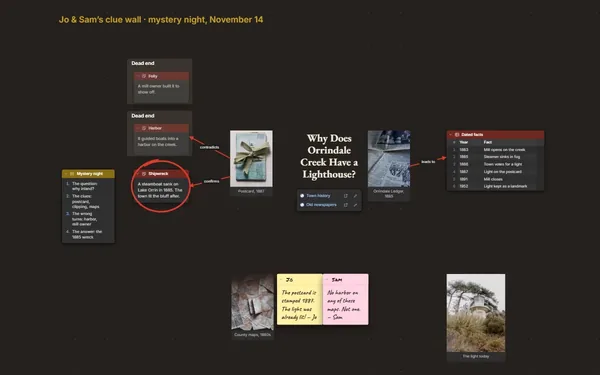
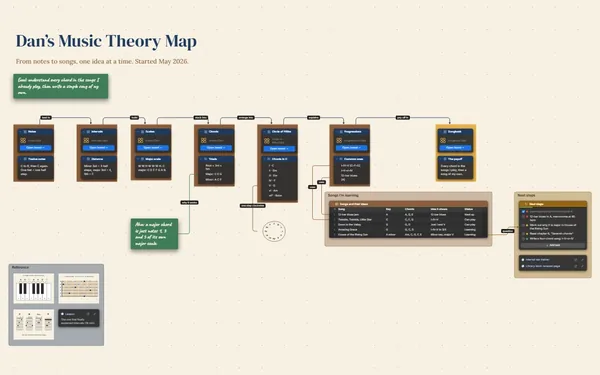
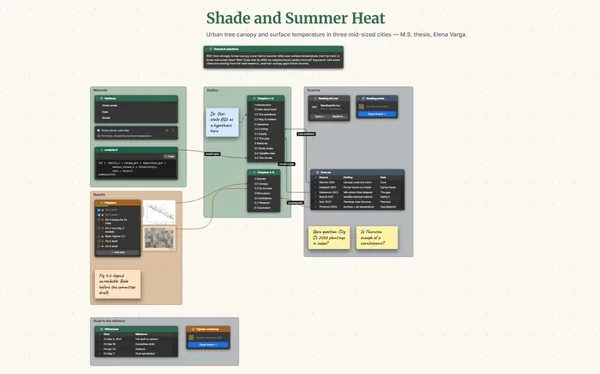
A research evidence map puts every source, finding and gap on one board, with a labeled line from each paper to the claim it supports, contradicts or qualifies.
Futur3 Board is in private beta. Invited accounts get every Subscriber feature free during the beta. No limits on your free boards, saved anywhere.
A research evidence map board: sources in a table, labeled lines to the findings and the gaps shaded.

You remember one study found the opposite, but not which one or why. Put every source in a table and every half-formed claim on a note, and keep your head for the thinking.

A line from Okafor (2019) to “canopy cuts surface heat,” labeled supports. Another from a 2021 street survey, labeled contradicts. A finding with one thin line is a gap you can see.

The claim on the left, findings in the middle, sources on the right, gaps beside them. Zoom out to see where studies cluster and your chapter fits. Zoom in for sample sizes and quotes.

Somewhere around paper thirty, the lines start pointing the same way. Shade the gaps, and the literature review stops being a fog: you can see the case from start to finish.

Present it full screen (Subscriber): the question, the sources, the findings, the gaps. Findings appear one click at a time, so your committee follows your reasoning instead of reading ahead.
Pick a block to see where it sits on Amara Osei · Street Trees and Summer Heat’s board.
Yes. Tables import CSV, so a spreadsheet export of your references comes straight in, one row per paper. Each row then has its own connector socket, ready to link to the findings it supports.
Yes. Invite your supervisor by email to comment (Subscriber). Each comment points an arrow at the exact link they doubt, and you reply right there. Co-authors can be invited to edit and build the map with you live. Only the board’s owner needs Subscriber.
Yes. Attach each paper with a file block beside its row. A one-file package holds the board with its photos, files and linked boards, so the whole review travels as one file you keep.
Yes. No limits on your free boards, saved anywhere: make as many as you like, with as many pictures and blocks as you like. They save on your computer, in your browser, or in your own Google Drive or OneDrive. The $5 Subscriber plan adds share links to view, comment, present or edit together live.
You do. Every board is a file you own: on your computer, in your browser, or in your own Google Drive or OneDrive. If you stop subscribing, your boards stay right where they are.
Yes. Install it from your browser in one click and it opens and saves like any app, with no connection.