Futur3 Board is in private beta. Invited accounts get every Subscriber feature free during the beta. No limits on your free boards, saved anywhere.
A mind map maker for students: photosynthesis and respiration as linked lists, with diagrams, key terms and labeled arrows.
Why students put it on a board
Draw the links your teacher means
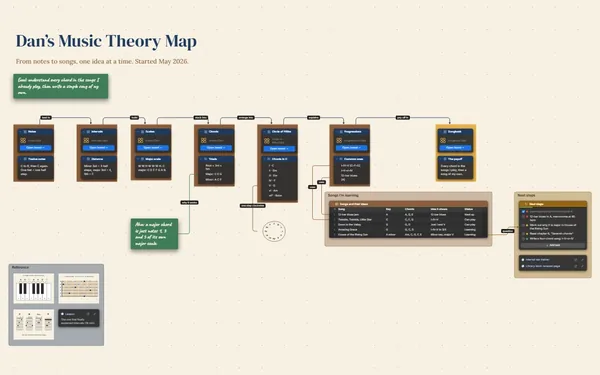
Every list item has its own connector socket, so a line runs from glucose in the Calvin cycle straight to glucose in glycolysis. Label it “fuel for,” and the link is on the page.
The moment respiration clicks
You’ve read the chapter three times. Then you draw the last arrow, from the Krebs cycle to the ATP it pays for, and the whole unit suddenly makes sense.
The whole unit on one screen
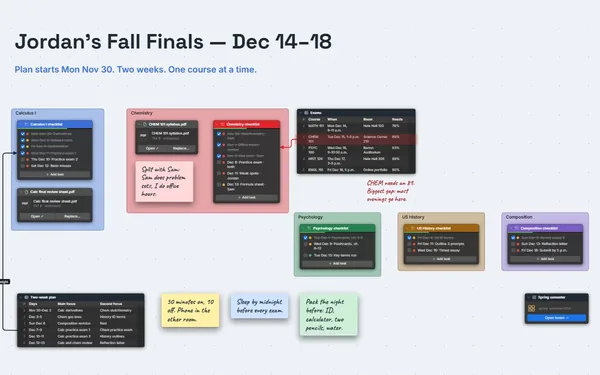
Photosynthesis on the left, respiration on the right, enzymes and ATP up top, practice questions below. The diagrams sit right beside the notes they explain.
Teach it back in five minutes
Present the map full screen (Subscriber), one step per click. Walk a friend through photosynthesis, then respiration, then the cycle that joins them. Explaining your own map out loud is the best review there is.
Build it with your study group
Invite your study group by email to edit and build it together on a call. One person tidies the Krebs cycle while another fixes the key terms. Only the board’s owner needs Subscriber.
How it works
Start in the middle. Put the unit’s big idea at the center.
Break it into steps. Each process as a list, each step its own item.
Draw the arrows. Label what flows where, and watch the unit make sense.
What goes on the board
Pick a block to see where it sits on Priya’s Biology’s board.
Questions
How is this different from a normal mind map?
It’s a mind map with everything else you study from on it: diagrams, tables, checklists and notes. Lines can start from a single list item or table row, so each arrow points at one exact idea.
Can I start from notes I already have?
Yes. Paste them into a document or note, or give Claude your notes and a few sentences about the unit and it builds a first board. Then rearrange it and draw the connections yourself.
Can I print it to study from?
Yes. Export the map as a PDF to print (Subscriber), or as an outline if you want the notes as a list. Install it from your browser too, and it opens on the bus with no connection.
Is it really free?
Yes. No limits on your free boards, saved anywhere: make as many as you like, with as many pictures and blocks as you like. They save on your computer, in your browser, or in your own Google Drive or OneDrive. The $5 Subscriber plan adds share links to view, comment, present or edit together live.
Who keeps my boards?
You do. Every board is a file you own: on your computer, in your browser, or in your own Google Drive or OneDrive. If you stop subscribing, your boards stay right where they are.
Does it work offline?
Yes. Install it from your browser in one click and it opens and saves like any app, with no connection.
Your notes already know the answer. Let them show you.