20 building blocks
Put them side by side, group them in frames, and connect them.
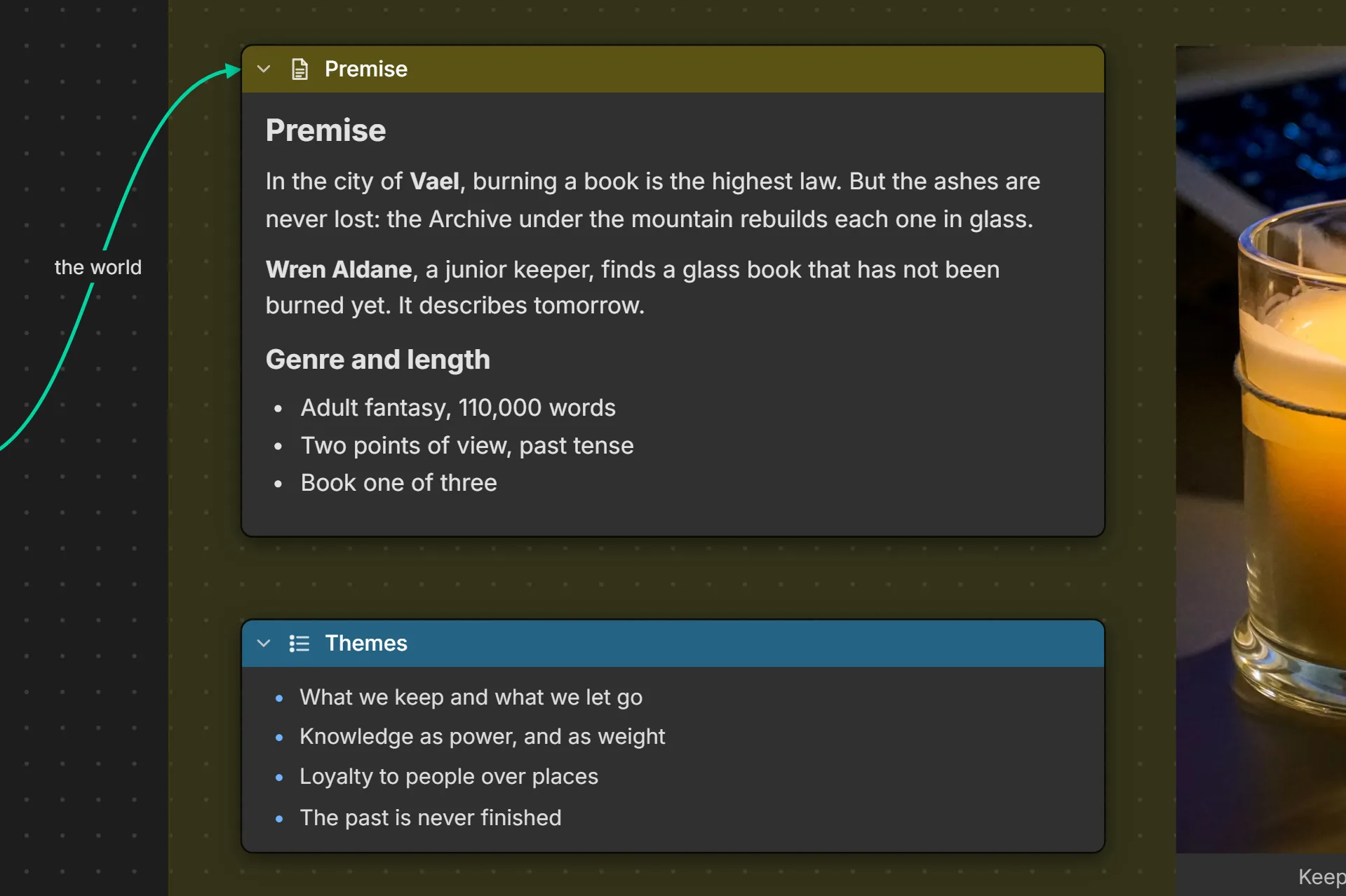
Writing
Words in every shape a project needs, from a sticky note to a formatted brief.
- TextBig styled text with no box around it, in any Google font, or on a sticky note.
- NoteFree text for briefs, rules and thoughts. Make it a sticky note.
- DocumentFormatted text: paste straight from Word or Google Docs.
- ListBulleted or numbered, with nesting. Every item has its own sockets.
- To-doChecklists with priorities and progress.
- AccordionSections that open to show text and a picture.
- CodeCode, queries, configs or data, one click to copy.
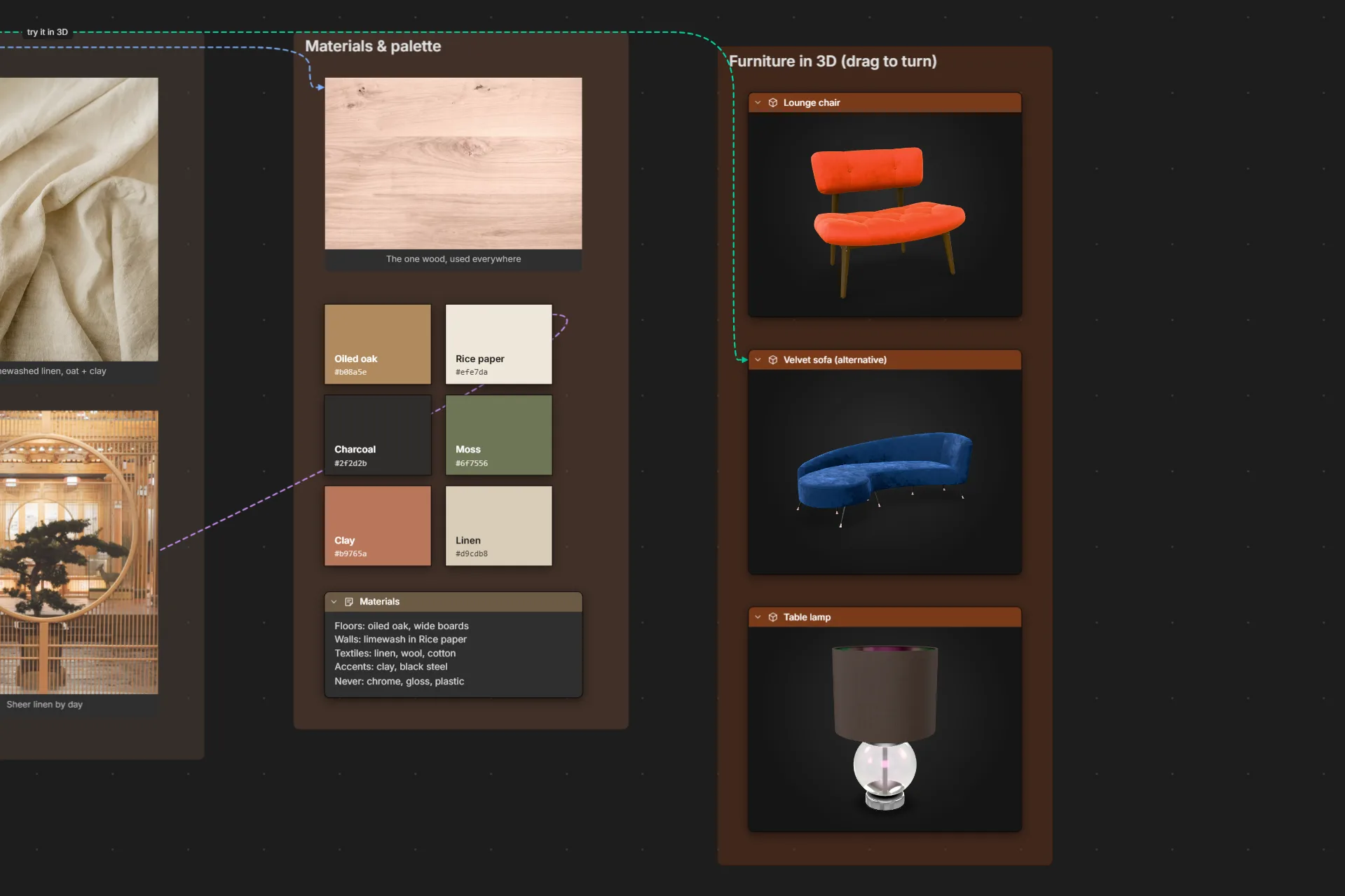
Pictures and media
Photos, palettes, live embeds and 3D models, right beside the notes about them.
- ImageDrop or paste photos, sketches and screenshots. Double-click to view large.
- ColorPalette swatches with copyable hex codes.
- EmbedA live video, 3D scene, prototype, map or web page from another site, right on the board.
- 3D modelDrop in a .glb or .gltf model and turn it, zoom it, show it off.
- LinkOne or more web links, each one clickable.
- FileAttach PDFs, documents and other files.
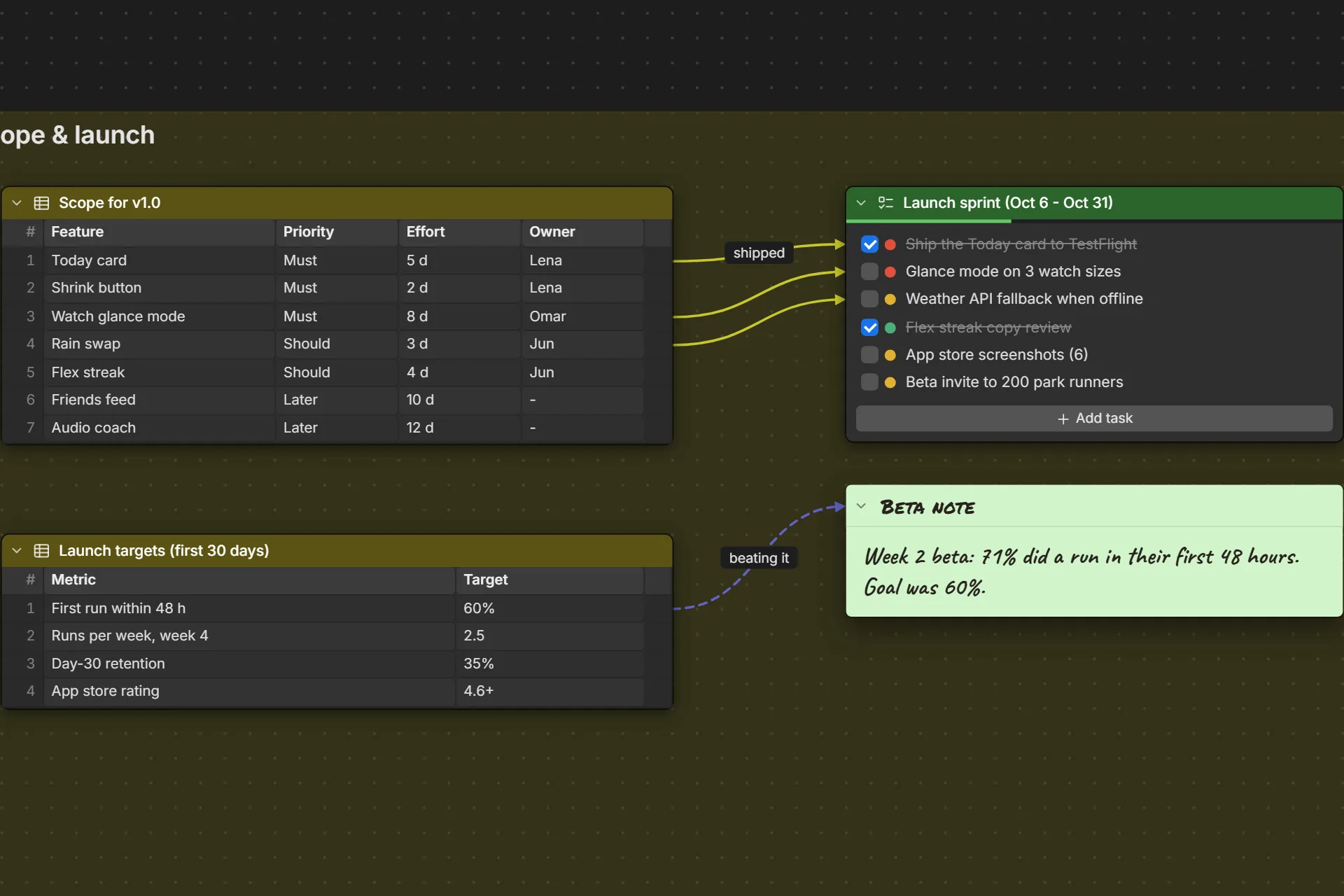
Organizing
Tables for the numbers, frames for the sections, and boards inside boards when it grows.
- TableRows and columns, with CSV import and export.
- FrameGroup a section of the board behind a title.
- BoardLink to another board and dive into it.
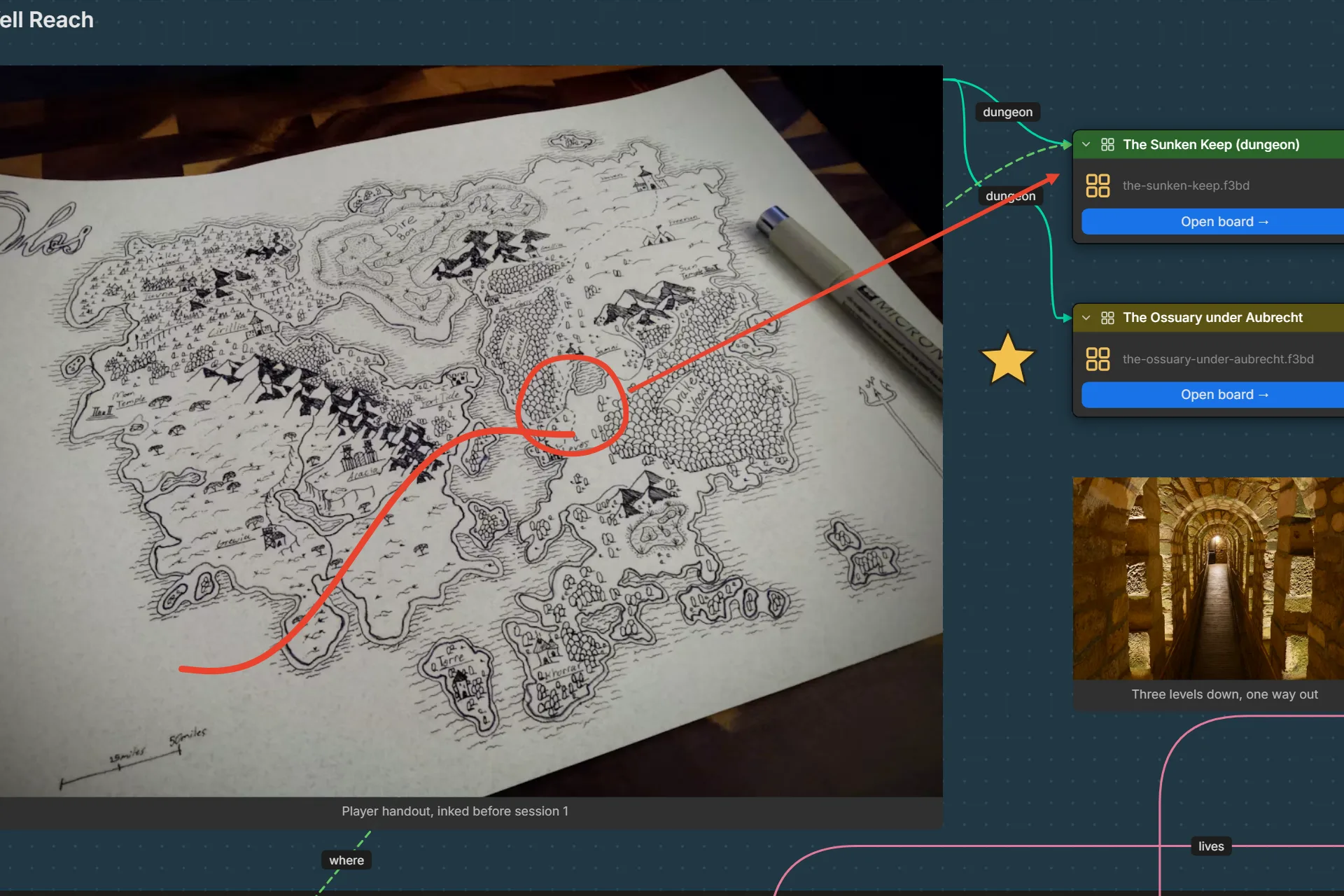
Drawing
Mark it up: draw a route, ring what matters, point at it.
- DrawingDraw with the marker, then move, scale and rotate it. The eraser takes out just the part you rub.
- LineStraight or curved lines and arrows, with labels, anywhere on the board.
- ShapeRectangles, circles, stars and your own shapes, drawn behind everything.
- Area HighlightA tinted box over anything you want to point out.