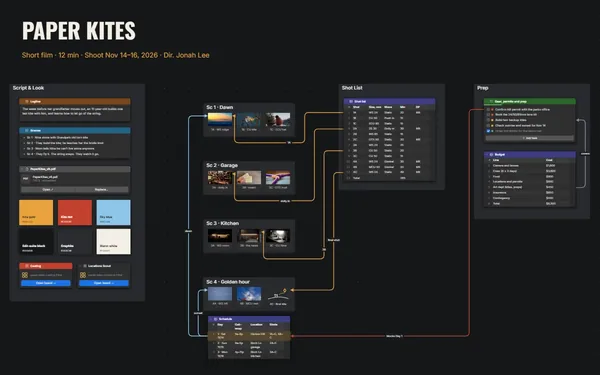
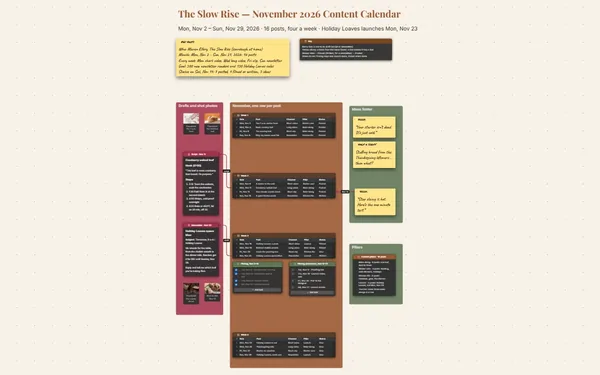
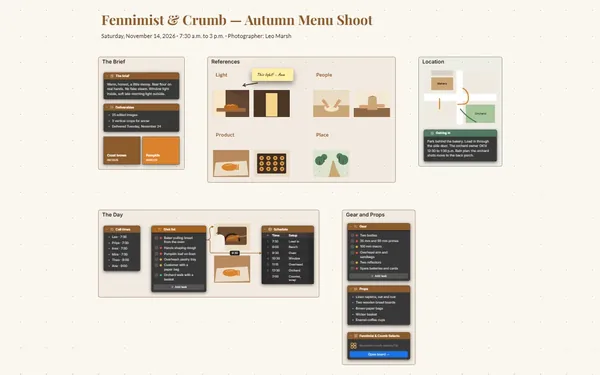
A video content planner for your channel: the script, the shot list, the thumbnail ideas and the upload checklist on one board, each beat linked to its shot.
Futur3 Board is in private beta. Invited accounts get every Subscriber feature free during the beta. No limits on your free boards, saved anywhere.
A video content planner board: a timestamped script, a shot list, thumbnail mock-ups and an upload checklist.

The hook, ten shots, five recipes, three titles and an upload time, all fighting for space. Put them on one board and walk into filming day knowing exactly what to shoot.

Draw a line from 3:00, dinner two, to the close-up of the glaze. Cut a section from the script and you see the shots you no longer need.

Three thumbnail mock-ups, each with its title. Put them side by side, highlight the winner, and you know which shots the video has to deliver.

Invite your editor to edit and they tick off shots, drop in thumbnail drafts and point an arrow at the timestamp that needs a pickup (Subscriber).

Give every video its own board and link them all from one channel board. Scroll back through a year of videos and see how far the channel has come.
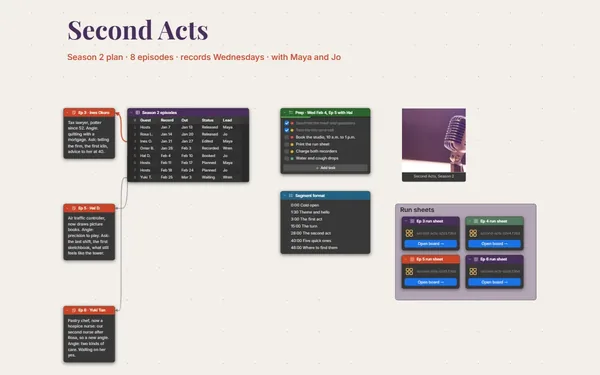
Pick a block to see where it sits on Tiny Kitchen, Big Food’s board.
Yes. A Document block takes formatted text pasted from your writing app, so the script keeps its headings and bold lines beside the outline.
Yes. Give each video its own board and link them from a channel board. Double-click any one to dive in, then step back out to the series.
Yes. Invite your editor by email to edit, and you both work on the board live, each with a pointer and a name. Only the board’s owner needs Subscriber.
Yes. No limits on your free boards, saved anywhere: make as many as you like, with as many pictures and blocks as you like. They save on your computer, in your browser, or in your own Google Drive or OneDrive. The $5 Subscriber plan adds share links to view, comment, present or edit together live.
You do. Every board is a file you own: on your computer, in your browser, or in your own Google Drive or OneDrive. If you stop subscribing, your boards stay right where they are.
Yes. Install it from your browser in one click and it opens and saves like any app, with no connection.