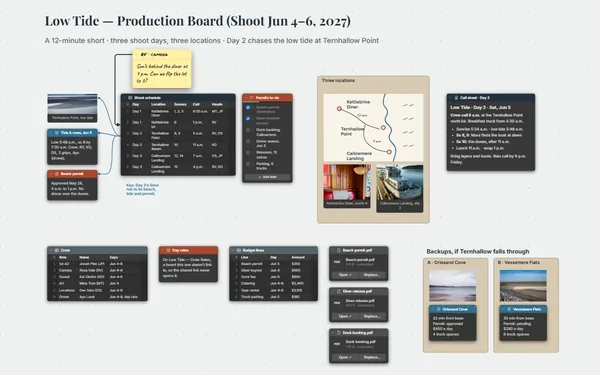
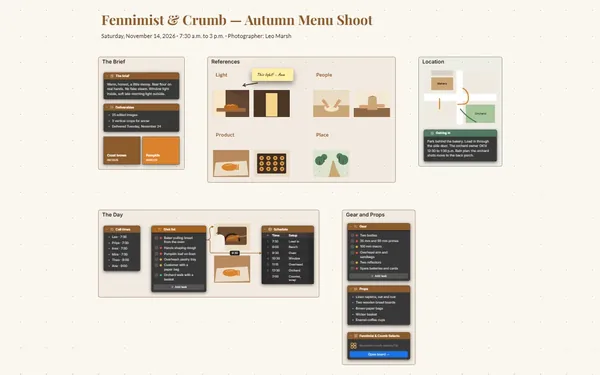
You can see the film. Now everyone can.

A storyboard maker for live-action shoots: a panel for every shot, each linked to the shot list and the day you shoot it, with gear and script alongside.

Futur3 Board is in private beta. Invited accounts get every Subscriber feature free during the beta. No limits on your free boards, saved anywhere.

A storyboard maker board: panels for every scene of a short film, each linked to the shot list and the three-day schedule.

Why filmmakers put it on a board

Storyboard maker: the gear and permit to-dos

Stop shooting it in your head

Twelve shots, three days, two locations and a sunrise you can’t miss. Put the panels, the shot list and the gear on one board, and think about the performances instead.

Scenes one and two, a row of panels each

Feel the film’s rhythm

A row of panels for each scene, the logistics on either side. Flip through the panels in the gallery and you feel the cut before you’ve rolled a frame.

Day one’s line to the golden-hour scene

Know what moves when plans slip

A line from shot 4C to its panel, and from day one to the scenes it covers. When the hilltop permit slips, follow the lines to see exactly which shots move with it.

The shot list with the DP’s initials on their shots

Prep it with your DP

Invite your DP and AD to edit and work the shot list live, each with a pointer and a name. Only the board’s owner needs Subscriber.

Scene three’s panels in order

Walk the crew through it

Present it at the production meeting: the camera moves scene by scene, shots revealed one click at a time, so every department sees the film before the first call (Subscriber).
How it works

  1. Draw the panels. Sketch on the board or drop in your drawings, a frame per scene.
  2. List the shots. Size, lens, movement and setup time, each row tied to its panel.
  3. Plan the days. A schedule whose rows link to the scenes they cover.

What goes on the board

Pick a block to see where it sits on Paper Kites’s board.

Script & LookShot ListPrepSc 1 · DawnSc 2 · GarageSc 3 · KitchenSc 4 · Golden hourPAPER KITESShort film · 12 min · Shoot Nov 14–16, 2026 · Dir. Jonah LeeLoglineThe week before her grandfather moves out, an 11-year-old buildsone last kite with him, and learns how to let go of the string.Shot listShotSize, mmMoveMinDP1AWS 24Static20MR1BCU 50Push in151CECU 85Static152A2S 35Dolly in30MR2BINS 85Static152COTS 50Static20MR3AWS 24Static253BCU 50Static203CCU 50Static154AWS 24Gimbal30MR4BMCU 50Gimbal20MR4CWS 24Static40MRTotal265Gear, permits and prepConfirm hill permit with the parks officeBook the 24/50/85mm lens kitBuild two backup kitesCheck sunrise and sunset for Nov 14Order hot drinks for the dawn call1A1A · WS rid…1B1B · CU kite1C1C · ECU hatScenesSc 1 · Nina alone with Grandpa’s old torn kiteSc 2 · They build the kite; he teaches her the bridle knotSc 3 · Mom tells Nina he can’t live alone anymoreSc 4 · They fly it. The string snaps. They watch it go.BudgetLineCostCamera and lenses$1,800Crew (6 × 3 days)$3,600Food$900Locations and permits$600Art dept (kites, props)$450Insurance$650Contingency$500Total$8,500PaperKites_v6.pdfPaperKites_v6.pdf2A2A · dolly…2B2B · insert2C2C · OTS kn…Kite goldKite redSky blueEdit-suite blackGraphiteWarm white3A3A · WS room3B3B · the ne…3C3C · CU NinaCastingLocations Scout4A4A · WS hill4B4B · MCU re…4C · finalkiteScheduleDayCall–wrapLocationShots1 · Sat 11…5a–6pHarlow Hill1A–C, 4A–C2 · Sun 11…9a–5pBirch Ln g…2A–C3 · Mon 11…4p–11pBirch Ln k…3A–C1Adolly in3Bfinal shotsunsetdawnblocks Day 1covers

Questions

Can my crew look at the panels on set?

Yes. Double-click any panel to see it large, or flip through them in the gallery. Install it from the browser and it opens on the hilltop with no signal.

Can I get the shot list into a spreadsheet?

Yes. Tables export and import CSV, so the shot list and the schedule move in and out of your spreadsheet whenever you need them.

Can I draw my panels on the board?

Yes. Sketch rough panels with the drawing tool right inside each scene’s frame, then swap in cleaner drawings or reference stills as images when you have them.

Is it really free?

Yes. No limits on your free boards, saved anywhere: make as many as you like, with as many pictures and blocks as you like. They save on your computer, in your browser, or in your own Google Drive or OneDrive. The $5 Subscriber plan adds share links to view, comment, present or edit together live.

Who keeps my boards?

You do. Every board is a file you own: on your computer, in your browser, or in your own Google Drive or OneDrive. If you stop subscribing, your boards stay right where they are.

Does it work offline?

Yes. Install it from your browser in one click and it opens and saves like any app, with no connection.

Day one, with the whole film already in the room.

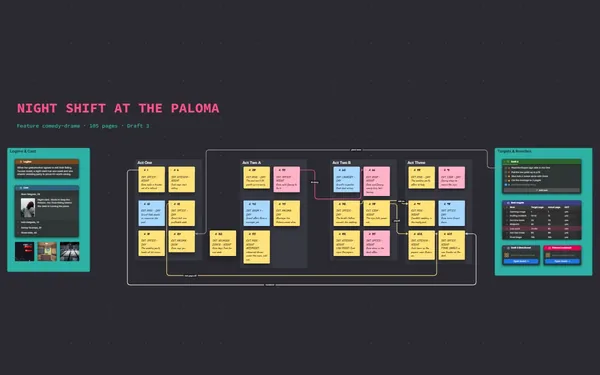
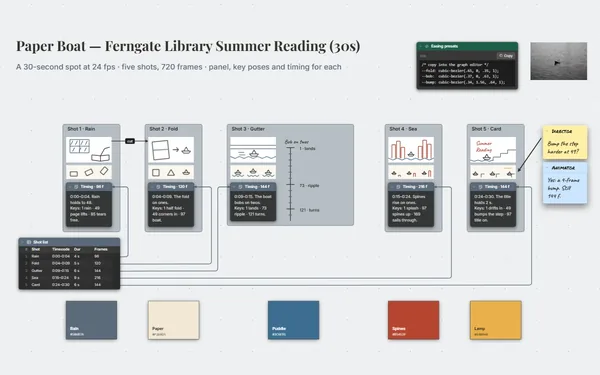
More boards like this