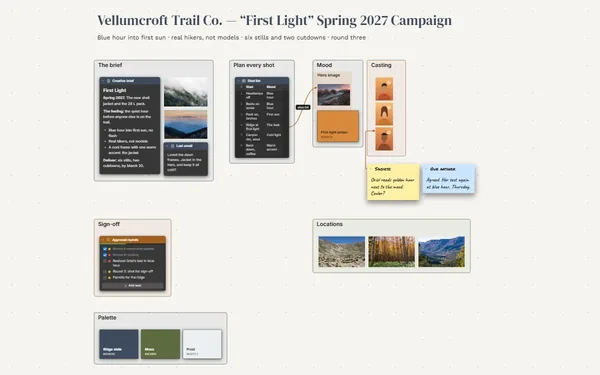
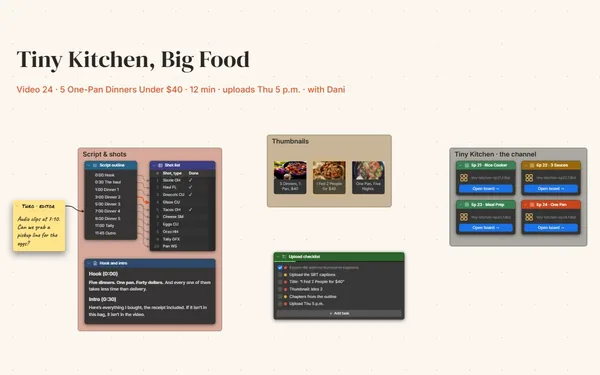
Walk on set knowing every shot you need.

A photo shoot planner with references beside the shot list, each shot linked to the picture it’s chasing and its time slot, plus call times and gear.

Futur3 Board is in private beta. Invited accounts get every Subscriber feature free during the beta. No limits on your free boards, saved anywhere.

A photo shoot planner board: references grouped by light, a shot checklist linked to each one, and the timed schedule.

Why photographers put it on a board

Photo shoot planner: the shot checklist beside the call times

Stop running the shoot at night

The client’s must-haves, the reference with the perfect window light, who arrives at 7:30. Put it on the board, and on the day you can think about the light.

The hero shot’s lines arriving at its reference and its 9:30 slot

Every shot tied to its reference

A line from “baker pulling bread from the oven” to the reference it’s chasing and its 9:30 slot. Follow the lines and the day makes sense to everyone on set.

The shoot board zoomed out

The whole day at a glance

References grouped by light, people, product and place, beside the shot checklist and the timed schedule. Zoom out and the whole day fits on one screen.

The shot list beside the reference photos

Pitch the shoot to your client

Present it full screen before the call: the brief, the mood, the shot list one shot at a time, then the schedule. The client sees the photos before you take them (Subscriber).

The client’s sticky note on a reference photo

Let the client point at it

Invite the client to comment and they point an arrow at the references they love. Your stylist and assistant, invited to edit, add props and gear live. Only the board’s owner needs Subscriber.
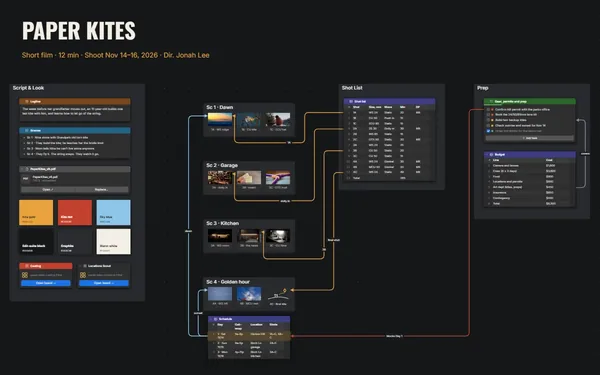
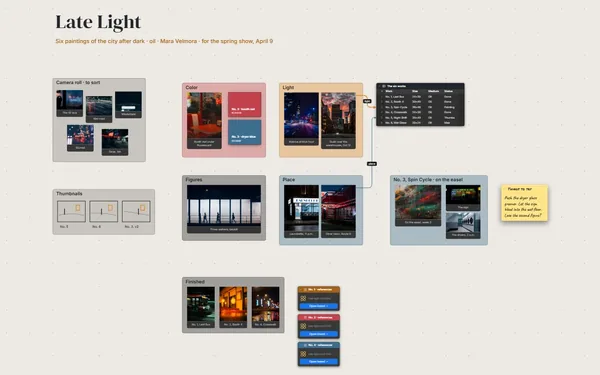
How it works

  1. Gather the references. Group them by light, people, product and place.
  2. Write the shot list. A checklist with priorities, each shot linked to its reference.
  3. Time the day. Call time to wrap, with who arrives when.

What goes on the board

Pick a block to see where it sits on Fennimist & Crumb’s board.

The BriefReferencesLocationThe DayGear and PropsFennimist & Crumb — Autumn Menu ShootSaturday, November 14, 2026 · 7:30 a.m. to 3 p.m. · Photographer: Leo MarshThis light! —AnaLightPeopleBakery and orchardThe briefWarm, honest, a little messy. Real flouron real hands. No fake steam. Windowlight inside, soft late-morning lightoutside.Window light on…Low sun through…Hands shaping do…A paper bag hand…Deliverables25 edited images3 vertical crops for socialDelivered Tuesday, November 24Getting inPark behind the bakery. Load in throughthe side door. The orchard owner OK’d12:30 to 1:30 p.m. Rain plan: theorchard shots move to the back porch.ProductPlaceCrust brownPumpkinPumpkin loaf on…Overhead: pastry…Orchard path in…Chasing: the ovenGearTwo bodies35 mm and 50 mm primes100 mm macroOverhead arm and sandbagsTwo reflectorsSpare batteries and cardsCall timesLeo · 7:30Priya · 7:30Ines · 7:30Mira · 7:30Theo · 8:00Ana · 9:00Shot listBaker pulling bread from…Hands shaping doughPumpkin loaf on linenOverhead: pastry trayCustomer with a paper bagOrchard walk with a bask…ScheduleTimeSetup7:30Load in8:00Bench9:30Oven10:30Window11:15Overhead12:30Orchard2:00Counter, wr…Chasing: the loafPropsLinen napkins, oat and rustTwo wooden bread boardsBrown paper bagsWicker basketEnamel coffee cupsFennimist & Crumb Selects9:30

Questions

Can I tick off shots on set?

Yes. The shot list is a to-do with priorities and progress, so you check shots off as you go and see what’s left before the light goes.

Can I keep the brief and releases with the plan?

Yes. Attach PDFs with a File block beside the shots they cover, and pack the board, references and files into one file for the job folder.

Can I reuse a shoot plan for the next client?

Yes. Save a copy of a finished board and swap in the new brief, references and schedule. The layout, the gear list and the call-time table are ready to go.

Is it really free?

Yes. No limits on your free boards, saved anywhere: make as many as you like, with as many pictures and blocks as you like. They save on your computer, in your browser, or in your own Google Drive or OneDrive. The $5 Subscriber plan adds share links to view, comment, present or edit together live.

Who keeps my boards?

You do. Every board is a file you own: on your computer, in your browser, or in your own Google Drive or OneDrive. If you stop subscribing, your boards stay right where they are.

Does it work offline?

Yes. Install it from your browser in one click and it opens and saves like any app, with no connection.

Plan every frame here. Then go make the pictures.

More boards like this