Futur3 Board is in private beta. Invited accounts get every Subscriber feature free during the beta. No limits on your free boards, saved anywhere.
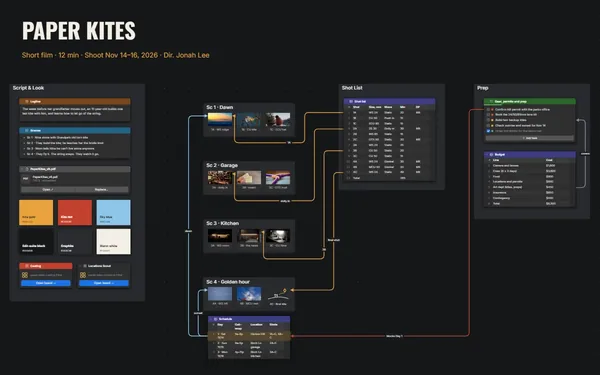
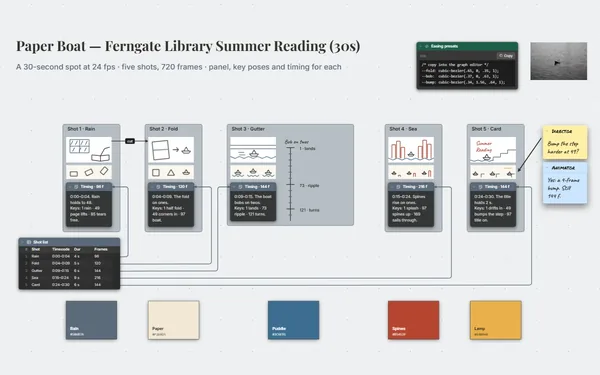
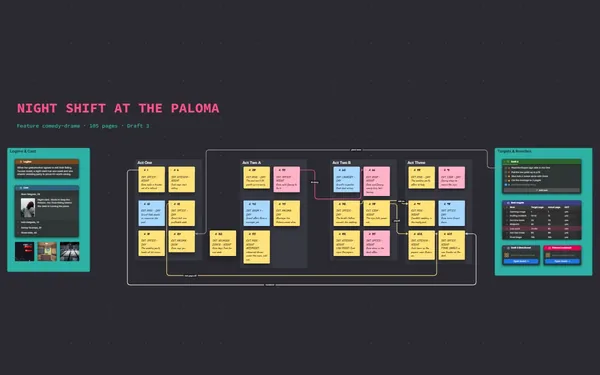
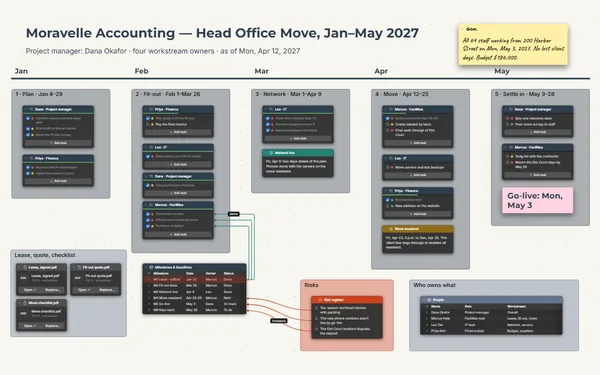
A film production schedule board: shoot days linked to locations, crew and budget, with permits and call sheets.
Why producers put it on a board
Stop running it from memory
Which day is the 5 a.m. call, who’s on a day rate for three days, did the beach permit go through? Put it on the board, not in thirty email threads.
Days linked to place and crew
Lines from day two to the beach, the tide note and the permit. When a location falls through, follow its lines to every day, cost and person it touches.
Schedule, budget and crew together
The schedule above the crew and budget tables, location photos and parking notes beside them. Zoom out for the whole production, zoom in for a single call time.
Run it with your 1st AD
Invite your 1st AD to edit and you both update the schedule live. Department heads you invite to comment flag the exact row. Only the board’s owner needs Subscriber.
Choose the backup location
Two fallback beaches side by side: photos, distance, permit status and cost. When the first falls through at 5 a.m., the choice is already laid out.
How it works
Build the schedule. Day, call time, location, scenes and cast, one row each.
Add crew and budget. Roles and budget lines, each linked to its shoot days.
Attach the paperwork. Permits, releases and call sheets beside the day they cover.
What goes on the board
Pick a block to see where it sits on Low Tide’s board.
Questions
Can I bring in my existing budget or crew list?
Yes. Tables import from CSV, so the budget or crew list comes in as rows you can link to shoot days. Export back to CSV whenever accounting asks; the board doesn’t total it.
Can the crew see the board without editing it?
Yes. Invite each person by email to view, comment or edit (Subscriber), or send a view-only link. A link also opens every board linked from it, so keep day rates on a board the shared one doesn’t link to.
Can I show investors where the money goes?
Yes. Present it full screen (Subscriber): the schedule, each location, then crew and budget, with fades between views. Or export a PDF to send after the meeting (Subscriber).
Is it really free?
Yes. No limits on your free boards, saved anywhere: make as many as you like, with as many pictures and blocks as you like. They save on your computer, in your browser, or in your own Google Drive or OneDrive. The $5 Subscriber plan adds share links to view, comment, present or edit together live.
Who keeps my boards?
You do. Every board is a file you own: on your computer, in your browser, or in your own Google Drive or OneDrive. If you stop subscribing, your boards stay right where they are.
Does it work offline?
Yes. Install it from your browser in one click and it opens and saves like any app, with no connection.
One board, and the whole production holds together.