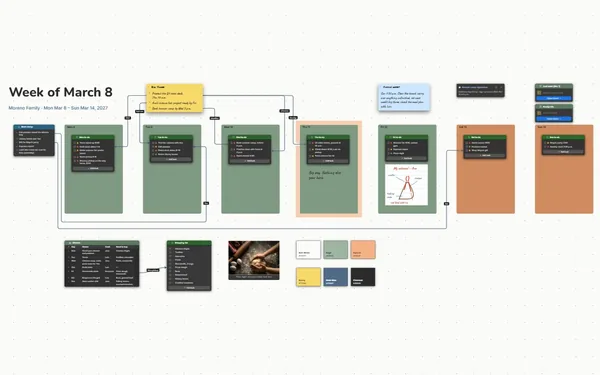
A meal planner that puts the week’s dinners, the recipes behind them and the shopping list on one board, with lines from each recipe’s ingredients to the list.
Futur3 Board is in private beta. Invited accounts get every Subscriber feature free during the beta. No limits on your free boards, saved anywhere.
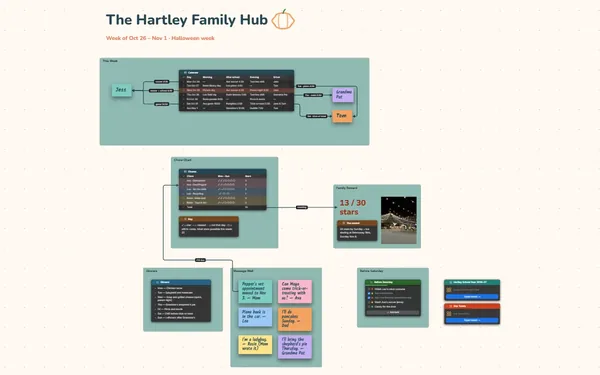
A meal planner board: seven dinners, recipe cards with ingredients and method, and a shopping list linked to each recipe.
Why home cooks put it on a board
No more 5 p.m. panic
Plan once on Sunday: seven dinners, who cooks, what’s left over. The rest of the week you open the board and cook what it says, instead of staring into the fridge.
See how the week fits together
Saturday’s ragu turns into Sunday’s pasta bake, and Thursday’s soup gets doubled, half for the freezer. With the week laid out, leftovers are planned, not found.
Every ingredient reaches the list
Each ingredient in a recipe has its own connector, so a line runs from 2 lemons in the chicken to lemons on the shopping list. Nothing gets forgotten at the store.
Shop while someone adds
Invite your partner to edit. You tick off groceries in the store while they add the pizza dough from home, each with your own pointer and name, live. Only the board’s owner needs Subscriber.
Keep the family recipes
Grandma’s ragu, the soup you double and freeze, the pizza Mia wants pineapple on. Keep each recipe with its photo and method, in a recipe box that’s yours, not a website’s.
How it works
Plan seven dinners. Who cooks, how long it takes, and what’s left over.
Pin the recipes. Ingredients in a list, the method step by step, a photo.
Shop from the board. Tick the list in the store, offline once installed.
What goes on the board
Pick a block to see where it sits on The Park Kitchen’s board.
Questions
Can I paste in recipes I already have?
Yes. Paste a recipe into a document block, or put the ingredients in a list and the method in an accordion. Keep the original page as a link beside it, so you can always find it again.
Does it build the shopping list for me?
No, and it doesn’t add up quantities. You put items on the list and draw lines from each recipe’s ingredients, so you can see which dinner needs what. Claude can build the first board from your notes.
Can I cook along from the board?
Yes. Present a recipe full screen (Subscriber) and reveal the method one step at a time, so a tablet on the counter shows only what’s next. It’s a good way to teach a new cook the family ragu.
Is it really free?
Yes. No limits on your free boards, saved anywhere: make as many as you like, with as many pictures and blocks as you like. They save on your computer, in your browser, or in your own Google Drive or OneDrive. The $5 Subscriber plan adds share links to view, comment, present or edit together live.
Who keeps my boards?
You do. Every board is a file you own: on your computer, in your browser, or in your own Google Drive or OneDrive. If you stop subscribing, your boards stay right where they are.
Does it work offline?
Yes. Install it from your browser in one click and it opens and saves like any app, with no connection.