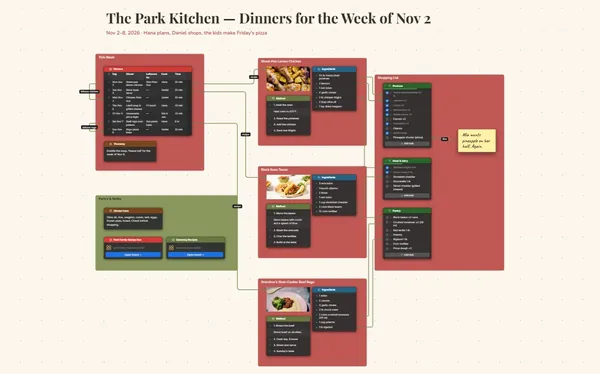
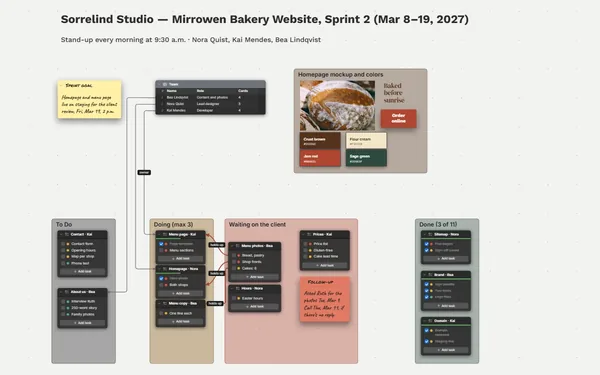
A weekly planner and to-do list on one board: a brain dump, a frame for each day, your big three priorities, and the dinners and shopping underneath.
Futur3 Board is in private beta. Invited accounts get every Subscriber feature free during the beta. No limits on your free boards, saved anywhere.
A weekly planner board: a brain dump, seven day frames with to-dos, the big three and the week’s dinners.

The plumber, the library books, the gift for Maya’s party, the expense report. Dump it all into one list, then drag each thing into the day it belongs.

Seven days in a row. The 10 a.m. deck, the client dinner and the science fair kit all land on Thursday, and you see it while there’s still time to move one.

Draw a line from each of the big three to the tasks that move it forward, on the days they happen. If Wednesday falls apart, you see which priority it hits.

A glow over Thursday: “Big day. Nothing else goes here.” When a new request lands, the board has already made the call. It goes on Tuesday, or it waits.

Invite your partner to edit and plan the week from the couch or from two offices. Who’s on pickup Thursday is never a question. Only the board’s owner needs Subscriber.
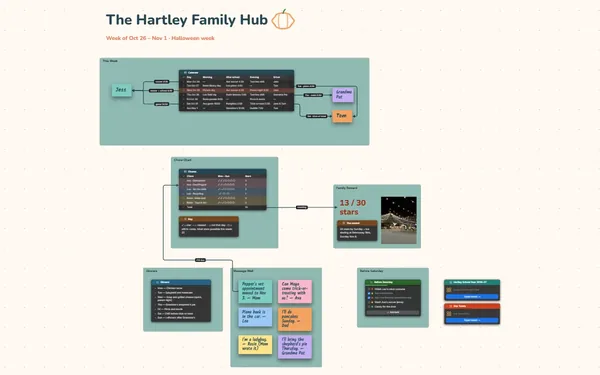
Pick a block to see where it sits on Moreno Family’s board.
No. Keep the frames, clear the ticked tasks on Sunday night and carry the rest forward. If you want a record, keep last week as its own board and link to it, so you can dive back in.
Yes. Install it from your browser in one click and it opens with no connection, autosaving as you tick things off. Check the shopping list in the store, or Thursday’s times on the train.
No. It doesn’t send reminders or sync with a calendar. It’s the one place you see the whole week at once, plan it and decide what matters, before the reminders start going off.
Yes. No limits on your free boards, saved anywhere: make as many as you like, with as many pictures and blocks as you like. They save on your computer, in your browser, or in your own Google Drive or OneDrive. The $5 Subscriber plan adds share links to view, comment, present or edit together live.
You do. Every board is a file you own: on your computer, in your browser, or in your own Google Drive or OneDrive. If you stop subscribing, your boards stay right where they are.
Yes. Install it from your browser in one click and it opens and saves like any app, with no connection.