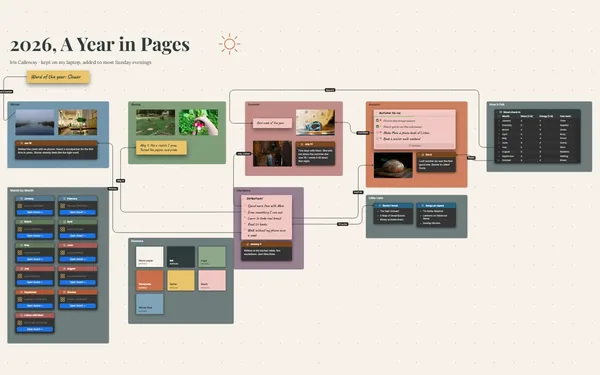
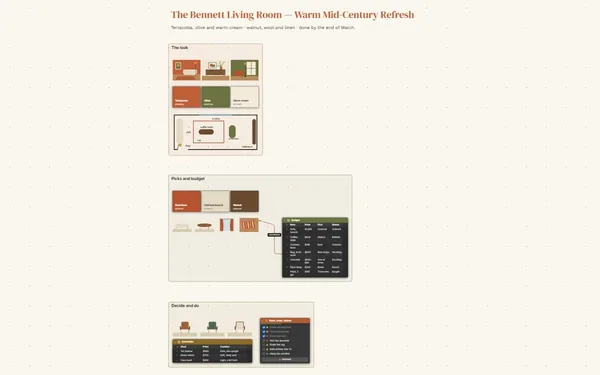
Plan the garden you can already smell.

A garden layout planner with your beds drawn from above, each linked to what grows there and when, plus the season’s jobs and last summer’s photos.

Futur3 Board is in private beta. Invited accounts get every Subscriber feature free during the beta. No limits on your free boards, saved anywhere.

A garden layout planner board: raised beds drawn from above, linked to a planting calendar and a month-by-month job list.

Why gardeners put it on a board

Garden layout planner: the planting calendar table with dates and spacing

Empty the seed-packet drawer

When to start peppers, how far apart carrots go, which bed had tomatoes last year. Get it off the backs of envelopes and onto one board, and winter planning turns into a pleasure.

Overview of the layout frame: beds, path and sun arc

See the garden from above

Beds, paths, the fence and the old maple, drawn to scale with the sun’s arc across the top. You notice the zucchini will shade the carrots before a single seed goes in.

Connectors from the drawn beds to the planting calendar

Every bed knows what it grows

A line from Bed 3 to its rows in the calendar: peas out on March 22, lettuce after them in July. Follow it and you see which bed is free once the peas come out.

A summer photo beside the flower-border palette

Grow it before you plant it

July tomatoes, peas on the fence, a bee on a zinnia. In February, with snow on the beds, the board is a promise of what’s coming.

The rotation note and the garden journal board link

Remember what grew where

Tomatoes were in Bed 2 this year, so they move to Bed 1. Keep each season as its own board, link the garden journal, and crop rotation stops being a guess.
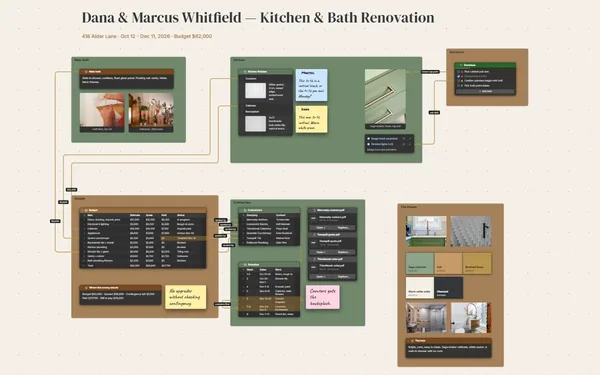
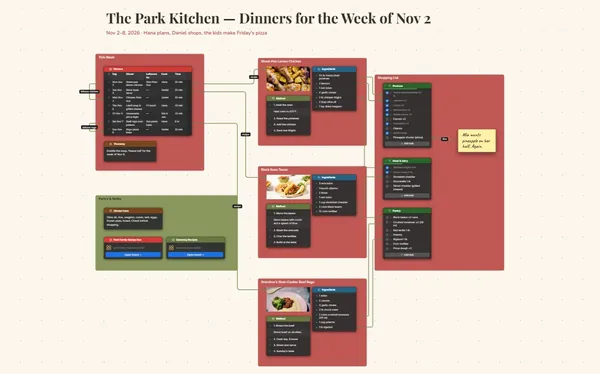
How it works

  1. Draw the beds. Shapes for beds, a pen for paths, the fence and the trees.
  2. Fill the calendar. Start, sow and harvest dates for each crop, linked to its bed.
  3. Work the season. Tick off the month’s jobs outside, offline once installed.

What goes on the board

Pick a block to see where it sits on The Alvarez Backyard’s board.

Summer, ImaginedGarden Layout (20 px = 1 ft)Planting CalendarSeason JobsHerbs & NotesThe Alvarez Backyard — Kitchen Garden PlanSpring 2027 · Zone 6b · Last frost ~Apr 20Tomatoes and basilPeas on the fenceZinnia and a beeZinnia magentaCosmos pinkMarigoldAugust basketLavenderLeaf greensun: E → S → WPollinator border · zinnias& cosmosKids wantpumpkins —where?Bed 1 ·Tomatoes &basilCalendarCropBedOutSpacingStart indoo…HarvestZinnias, co…BorderMay 1712 inApr 5Jul – OctTomatoes1May 1024 inMar 9Jul 20 – Se…Basil1May 1010 inMar 23Jun – SepSweet peppe…2May 1718 inFeb 23Aug – SepBush beans2May 174 in—Jul – AugSnap peas3Mar 222 in—May 25 – Ju…Lettuce3Jul 68 inJun 15Aug – SepGarlic4In Oct 186 in—early JulCarrots4Apr 122 in—Jul – AugZucchini4May 2436 inApr 19Jul – Sepold maple · shadeuntil 11 a.m.Bed 2 ·Peppers &beanstrellisRainbarrelshedBed 3 ·Peas, thenlettuceBed 4 ·Garlic,carrots,zucchiniHerbspiralcompostN ↓ · 1 ft = 20 pxSeason jobsOct: Plant garlic in Bed 4Nov: Mulch all beds with shredded leavesJan: Order seeds by Jan 15Feb: Set up grow light, start peppersMar: Start tomatoes and basil; sow peas Mar 22Apr: Sow carrots; harden off seedlingsMay: Transplant after May 10; set tomato cagesSeed Order 2027Herb spiral (top to bottom)RosemaryThymeChivesParsleyMint (in a pot, never in th…RotationTomatoes were in Bed 2 this year, sothey move to Bed 1. Peppers followbeans. Feed Bed 1 with compost inApril.Check soil pHin March.Garden Journal 2024–2026May 10companionMay 17Mar 22in the groundthenfirst seedsthe listhose run 18 ftwhat’s in itcolors

Questions

Can I draw my real garden to scale?

Yes. Draw beds with rectangles and circles, add paths and trees with the pen, and label everything. Pick a scale, like 20 pixels to a foot, and note it on the frame so every bed stays true.

Will it tell me my frost dates or when to plant?

No. Add your own dates from seed packets or local growing advice to the planting table. The board keeps them in one place and ties each one to the bed it belongs to.

Can my family pick a bed?

Yes. Invite them to edit (Subscriber) and they can claim a corner for the pumpkins, live. Or present the plan at dinner in January, one bed at a time. Only the board’s owner needs Subscriber.

Is it really free?

Yes. No limits on your free boards, saved anywhere: make as many as you like, with as many pictures and blocks as you like. They save on your computer, in your browser, or in your own Google Drive or OneDrive. The $5 Subscriber plan adds share links to view, comment, present or edit together live.

Who keeps my boards?

You do. Every board is a file you own: on your computer, in your browser, or in your own Google Drive or OneDrive. If you stop subscribing, your boards stay right where they are.

Does it work offline?

Yes. Install it from your browser in one click and it opens and saves like any app, with no connection.

Draw the garden tonight. Plant it in spring.

More boards like this