Futur3 Board is in private beta. Invited accounts get every Subscriber feature free during the beta. No limits on your free boards, saved anywhere.
A project timeline board: an office move in five phases, with milestones, owners and dependency lines.
Why project managers put it on a board
Close the laptop at six
Which deadline waits on which supplier, who still owes you the fit-out quote, when the lease gets signed. Put it on the board, and the project stops following you home.
January to May at a glance
One frame per phase, left to right, with the milestone table below. Zoom out to see the whole office move; zoom in to one owner’s checklist.
Know what moves when it slips
Draw a line from “Lease signed” to the fit-out tasks waiting on it. When that date slips, follow the lines and you know what moves with it before anyone asks.
Watch the finish line get closer
Each owner’s list fills with ticks as the work gets done. By April the team can see the move is mostly done, and that is what keeps them going.
Run the steering meeting from it
Pick a camera view for each phase and present full screen (Subscriber). Milestones appear one click at a time, so your sponsor sees the real plan, not last Tuesday’s slide.
How it works
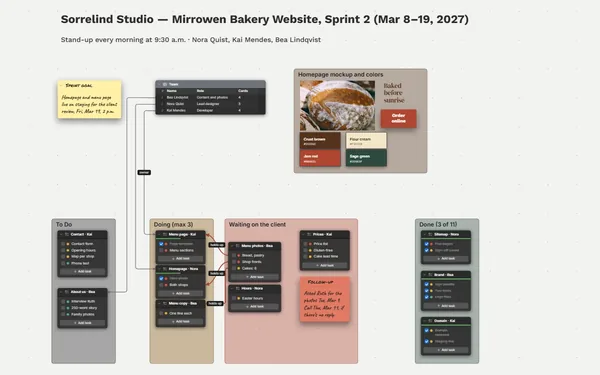
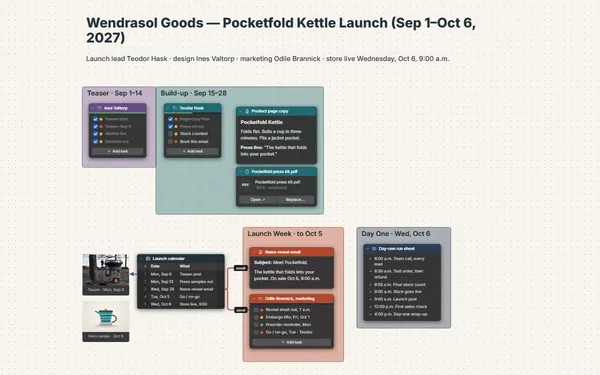
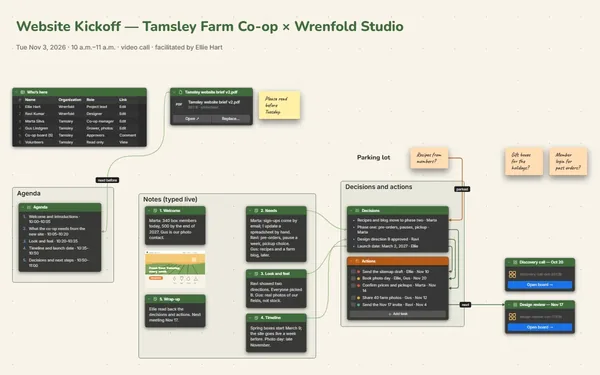
A frame for each phase. Milestones in a table, each owner’s checklist inside its phase.
Draw the dependencies. Connect each milestone to the tasks that wait on it, with a label.
Invite the owners. Add your workstream leads by email to tick off their own tasks (Subscriber).
What goes on the board
Pick a block to see where it sits on Moravelle Accounting’s board.
Questions
Can I bring in my task list from a spreadsheet?
Yes. Tables import and export CSV, so milestones come in from a spreadsheet and go back out for reporting. Or ask Claude to build the board from your notes or a few sentences.
Can my workstream leads update their own tasks?
Yes. Invite them by email to edit and they tick off their own to-dos live, each with their own pointer and name. Only the board’s owner needs Subscriber. Invite the finance team to comment instead, and their questions land with an arrow on the exact milestone.
Can I see what a late milestone affects?
Yes. Every table row and to-do item has its own connector socket, so a line runs from a milestone to each task that depends on it. Follow the lines from anything that slips.
Is it really free?
Yes. No limits on your free boards, saved anywhere: make as many as you like, with as many pictures and blocks as you like. They save on your computer, in your browser, or in your own Google Drive or OneDrive. The $5 Subscriber plan adds share links to view, comment, present or edit together live.
Who keeps my boards?
You do. Every board is a file you own: on your computer, in your browser, or in your own Google Drive or OneDrive. If you stop subscribing, your boards stay right where they are.
Does it work offline?
Yes. Install it from your browser in one click and it opens and saves like any app, with no connection.