A science fair board layout planned from the experiment itself: the question, the steps, the photos and the measurements on one board, then the tri-fold.
Futur3 Board is in private beta. Invited accounts get every Subscriber feature free during the beta. No limits on your free boards, saved anywhere.
A science fair board layout: question and hypothesis, steps with photos, the melt-time data and the tri-fold plan.

The rules sheet is on the fridge, the photos are on your phone and the measurements are on a napkin. Put them all on the board, and nobody has to remember where anything went.

Question and hypothesis on the left, the steps and photos in the middle, the results and conclusion on the right. Zoom out and it’s easy to see what’s still missing.

A line from “1 teaspoon of salt on each cube” to the setup photo, and from the salt row in the data to the conclusion. Your kid can follow the lines and explain why.

Lay out the display with shapes and the same photos, and move the panels until it looks right. “I don’t know what to put” becomes “I know where everything goes.”

Present the board full screen (Subscriber), one step per click. Your kid explains the question, the steps and the results in the order a judge will ask, and the family gets an after-dinner preview.
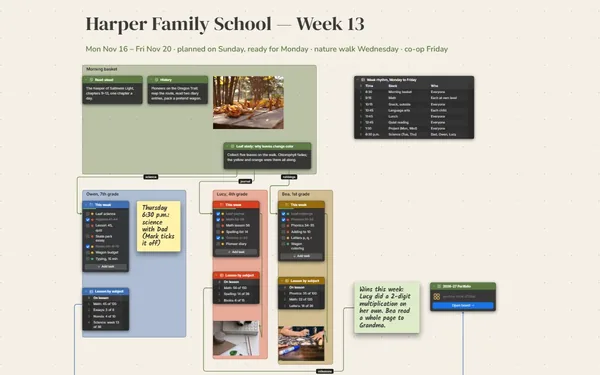
Pick a block to see where it sits on Ava’s Science Fair’s board.
The board is built from simple blocks: notes, checklists, photos and a table. Younger kids can drag photos and tick off steps while a parent sets things up, and notes can become colorful sticky notes.
No, tables don’t calculate. Write each trial’s time in, work out the average together on paper or in a spreadsheet, and add it as its own row. Doing the math yourselves is part of the project anyway.
Yes. Export the board as a PDF to print (Subscriber), and export the data table as CSV if the fair paperwork wants the numbers in a spreadsheet.
Yes. No limits on your free boards, saved anywhere: make as many as you like, with as many pictures and blocks as you like. They save on your computer, in your browser, or in your own Google Drive or OneDrive. The $5 Subscriber plan adds share links to view, comment, present or edit together live.
You do. Every board is a file you own: on your computer, in your browser, or in your own Google Drive or OneDrive. If you stop subscribing, your boards stay right where they are.
Yes. Install it from your browser in one click and it opens and saves like any app, with no connection.