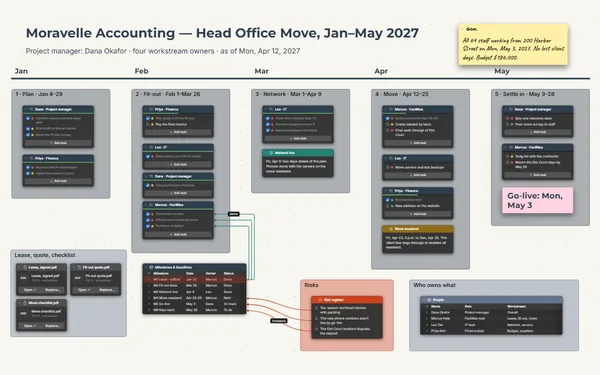
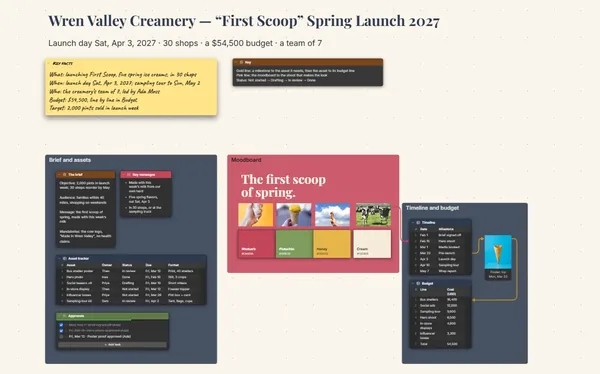
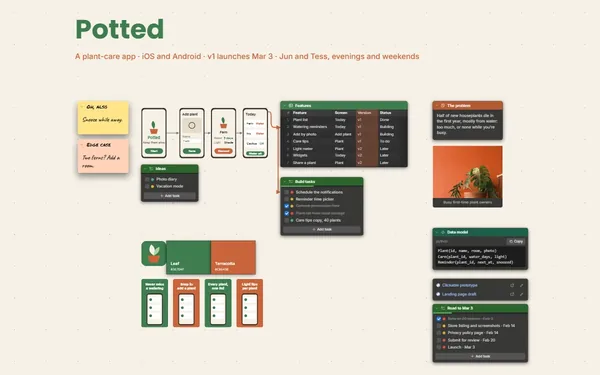
A product launch plan from teaser to day one: dated checklists, the photos and copy beside them, and every date linked to what must be ready.
Futur3 Board is in private beta. Invited accounts get every Subscriber feature free during the beta. No limits on your free boards, saved anywhere.
A product launch plan board: four phases toward launch day, with dated checklists, photos and copy.

Teaser dates, press samples, the email, the store going live at 9:00. Every phase’s tasks have an owner, so your team sleeps the week before launch.

The teaser shot sits beside the Monday it goes out. Nobody opens five tools to check whether the image is ready; it’s right there next to the date.

Draw a line from “Sep 29: name reveal email” to the email copy and the to-do that books the send. When the date moves, follow the lines.

Invite product, design and marketing by email; everyone ticks off their own items live, pointers and names showing. Invite your agency to comment on the exact press line. Only the board’s owner needs Subscriber.

A camera view per phase, then the day-one run sheet, full screen (Subscriber). Checklist items appear one click at a time, so leadership sees the real state of every task.
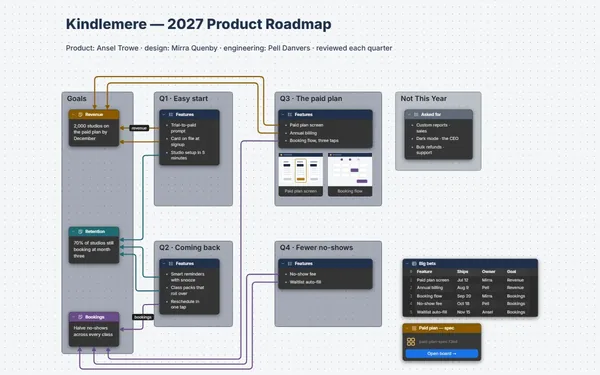
Pick a block to see where it sits on Wendrasol Goods’s board.
Yes. Photos sit right on the board, copy keeps its formatting in a Document block, and press kits attach as files. A one-file package holds the board with every photo and file.
Only the people you invite by email. A view-only link (Subscriber) opens the board for anyone who has it, so keep links off until launch day. We don’t store your boards. You do: on your computer, in the browser, or in your own Google Drive or OneDrive.
Yes. Tables export CSV, so the launch calendar goes straight into a spreadsheet, and comes back in the same way.
Yes. No limits on your free boards, saved anywhere: make as many as you like, with as many pictures and blocks as you like. They save on your computer, in your browser, or in your own Google Drive or OneDrive. The $5 Subscriber plan adds share links to view, comment, present or edit together live.
You do. Every board is a file you own: on your computer, in your browser, or in your own Google Drive or OneDrive. If you stop subscribing, your boards stay right where they are.
Yes. Install it from your browser in one click and it opens and saves like any app, with no connection.