An architecture concept board with site photos, trace sketches, the massing model and material samples together, every design move traced back to the site.
Futur3 Board is in private beta. Invited accounts get every Subscriber feature free during the beta. No limits on your free boards, saved anywhere.
An architecture concept board for a branch library: site photos, trace sketches, a 3D massing model and materials, linked.

Site photos on your phone, a roll of trace on the desk, precedents in thirty tabs, samples in a box. Put them on one board, and the board remembers so you can design.

The survey, the sun path sketch, the massing model and the materials, next to each other. You notice the moment the timber cladding starts fighting the brick of the street.

A line from the slope in your site notes to the stepped section, from the north light note to the sawtooth roof. At review, the reasoning behind the form is already drawn.

Drop in the .glb massing model beside the sketch it came from. Turn it, show where the reading room sits under the skylights, next to the charred larch sample.

Camera views from site to sketches to model to materials, full screen, the site constraints revealed one click at a time (Subscriber). The board you designed on becomes the story.
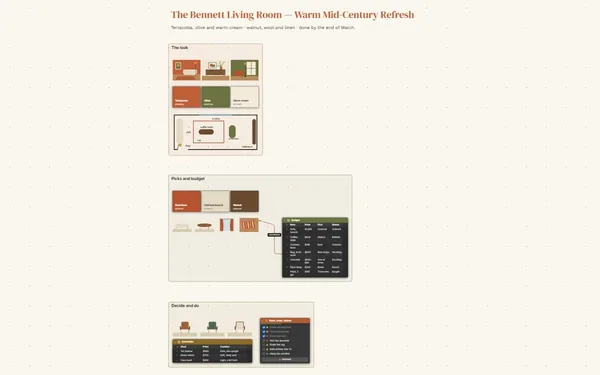
Pick a block to see where it sits on Drennacott Branch Library’s board.
Yes, if your modeling software exports .glb or .gltf. The 3D model block shows it on the board, and you and your client can turn and zoom it beside your sketches.
Yes. Invite them by email to comment or edit (Subscriber). Arrowed comments land on the exact corner of a sketch, with replies, so markups stop arriving as emails with five attachments. Only the board’s owner needs Subscriber.
Give each stage its own board and link them from one project board. At the end, pack the board, photos, files and linked boards into one file for the archive.
Yes. No limits on your free boards, saved anywhere: make as many as you like, with as many pictures and blocks as you like. They save on your computer, in your browser, or in your own Google Drive or OneDrive. The $5 Subscriber plan adds share links to view, comment, present or edit together live.
You do. Every board is a file you own: on your computer, in your browser, or in your own Google Drive or OneDrive. If you stop subscribing, your boards stay right where they are.
Yes. Install it from your browser in one click and it opens and saves like any app, with no connection.