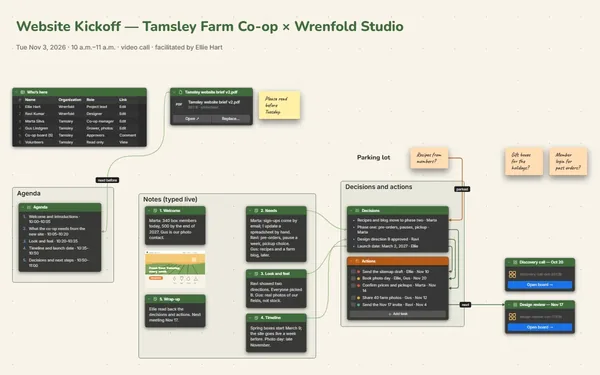
Answer “who do I ask?” once.

An org chart maker for real teams: each department in its own frame, a line from every manager to their people, dotted lines and open roles marked.

Futur3 Board is in private beta. Invited accounts get every Subscriber feature free during the beta. No limits on your free boards, saved anywhere.

An org chart maker board: leadership at the top, each department in a frame, reporting lines to every team.

Why hr and managers put it on a board

Org chart maker: the leadership list under the founder’s note

Stop being the chart

You know who moved teams last month, who covers for whom and which roles are open. Put it on the board and stop answering the same question in chat.

Department frames under leadership, zoomed out

The whole company in one view

Leadership at the top, each team in its own frame below, one name per item. Big teams open into a board of their own, so the chart never gets cramped.

A dotted labeled line between two teams

Lines from person to person

Every list item has its own connector, so a reporting line runs from one manager straight to their team. A dotted-line relationship gets its own labeled line.

The highlighted new roles and who they’ll report to

See the team you’re growing into

Next year’s roles sit in a highlighted area, each linked to the manager they’ll report to. The plan stops being a line in a budget and becomes a shape on the chart.

The customer care team under its lead

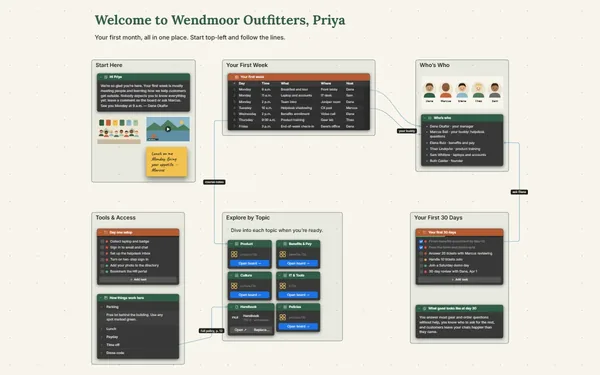
Show new starters who’s who

Present the chart on someone’s first morning: leadership first, then each team, names appearing one click at a time. Or invite colleagues by email to view it. Only the board’s owner needs Subscriber.
How it works

  1. Teams in frames. One frame per department, the team as a list.
  2. Draw the reporting lines. Manager to team, plus labeled dotted lines.
  3. Keep it current. Invite each department head by email to edit their own team (Subscriber).

What goes on the board

Pick a block to see where it sits on Grevillon & Tate’s board.

DesignEcommerceFinanceOperationsPeopleGrevillon & Tate — Who Reports to WhomOpen rolesRoleTeamReports toTarget startHead of Who…LeadersHelen Grevi…Feb 2027Junior Desi…DesignGrace Adeye…Mar 2027Updated October 20, 2026 by Sofia Brandt · 44 people · 2 open rolesHow to read this chartSolid lines: reports to. Dotted lines: worksclosely with, but doesn’t report to. Gold area:roles planned for 2027. Open a team board to seeeveryone on a large team.Founder & CEOHelen GrevillonSofiaWholesale team of 3 to follow in Q3 if therole lands.Leadership teamGrace Adeyemi — Head of DesignKenji Watanabe — Finance LeadSofia Brandt — Head of PeopleOwen Tate — COOMarcus Lee — Head of EcommerceDesignLena Park — Senior Product DesignerAde Ojo — Product DesignerMia Torres — Textile DesignerSam Whitley — PhotographerEcommerceRina Desai — Web ManagerJonah Brooks — Paid MediaElise Moreau — Email & CRMHana Kim — Content WriterFinanceRuth Sandoval — AccountantOperationsRob Delgado — Warehouse ManagerTalia Hassan — Customer Care LeadTom Becker — Purchasing ManagerIvy Chen — Supply PlannerPeopleCarla Diaz — RecruiterBen Okoro — People OperationsCustomer Care Team (9)Warehouse Team (14)9 people14 peoplestock costsFeb 2027Mar 2027

Questions

Can a line go from one person to another, not just box to box?

Yes. Every list item and table row has its own connector socket, so a reporting line runs from one named manager to a team, or a dotted line joins two people in different teams.

Our warehouse team has 14 people. Won’t it get crowded?

Put large teams on their own board and link it. The main chart shows the team lead; click through to see everyone on the team.

Can the whole company see it without editing it?

Yes. Invite colleagues by email to view, and managers to comment or edit (Subscriber). A public view-only link works too, but anyone who gets it sees every name, so keep that for charts you’d put on your website. Keep a reorg draft on its own board.

Is it really free?

Yes. No limits on your free boards, saved anywhere: make as many as you like, with as many pictures and blocks as you like. They save on your computer, in your browser, or in your own Google Drive or OneDrive. The $5 Subscriber plan adds share links to view, comment, present or edit together live.

Who keeps my boards?

You do. Every board is a file you own: on your computer, in your browser, or in your own Google Drive or OneDrive. If you stop subscribing, your boards stay right where they are.

Does it work offline?

Yes. Install it from your browser in one click and it opens and saves like any app, with no connection.

Draw it once. Let everyone find their place.

More boards like this