Choose a look you’ll love for years.

A logo mood board for small businesses: each logo option on your bags, signs and menus side by side, scored against what your business stands for.

Futur3 Board is in private beta. Invited accounts get every Subscriber feature free during the beta. No limits on your free boards, saved anywhere.

A logo mood board for a small bakery: three logo directions on bags, signs and cups, scored against the bakery’s values.

Why small businesses put it on a board

Logo mood board: the designer’s PDFs beside saved sign photos

Stop scrolling the logo folders

The designer’s PDFs, phone photos of signs you like, the fonts your partner sent at midnight. Pull them onto one board and stop trying to remember which version had the wheat stalk.

Three logo directions in frames, side by side

Choose with everything in view

Each direction in its own frame, with its colors and mockups, lined up in a row. You compare them the way customers will meet them, on the bag and the sign, not floating on white.

A connector from a value to the wheat stalk detail

Tie each logo to your values

Write what the bakery stands for as a list, then draw a line from “Baked here at 4 a.m.” to the logo detail that carries it. The scoring table shows why one option wins.

The awning and paper bag mockups

See your name on the bag

The logo on the awning and on a paper bag. Seeing your name on that bag is when the business you’ve been building starts to feel real.

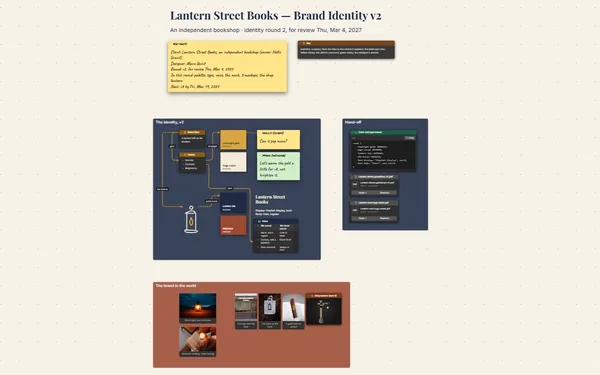
A sticky note on one letter of the wordmark

Decide with your partner

Invite your partner and designer to comment. Arrows land on the exact curve of a letter, replies stay in one thread, and nobody has to forward a single attachment. Only the board’s owner needs Subscriber.
How it works

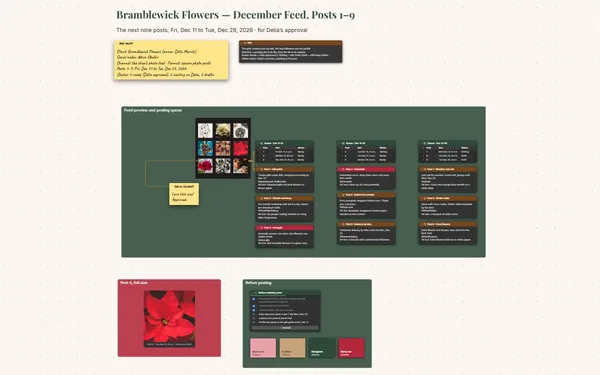
  1. Line up the options. A frame per logo direction, with its colors and mockups.
  2. Write what you stand for. A short list, each value linked to the detail that shows it.
  3. Score it and choose. A table that rates each option against what matters most.

What goes on the board

Pick a block to see where it sits on Orrowmill Bakery’s board.

The logo foldersWhat we stand forA · HearthB · Wheat stalkC · Mill wheelOn the streetNotes on the wordmarkOrrowmill Bakery — Choosing Our LookThree directions from Odalys · on the bag, the cup and the awning · scored against what we stand forHearth.pdfHearth.pdfWheat stalk.pdfWheat stalk.pdfMill wheel.pdfMill wheel.pdfWhat we stand forBaked here at 4 a.m.Flour from two local millsRye and sourdough, never fro…A corner shop, not a chainOpen early for early risersThe wheat stalkSaved: guild signSaved: wheat sheaf s…Fonts fromJoaquin, 12:40a.m.Scores, 1 to 5DirectionOur valuesOn the bagSign sizeTotalA · Hearth33410B · Wheat…55414C · Mill w…34512OrrowmillOrrowmillORROWMILLBag and cupBag and cupBag and cupOn the awningOn a paper bagThe first testbag. It feelsreal now.Hearth brickOven creamField greenWheat goldMill navyFlour whiteWordmark, round 2JoaquinThe w closes upat sign size.Open its middlea little?Before we printOpen the w a littleScore the three togetherOrder 50 test bagsProof the awning full sizeFinal files to the printerOdalysOpened it 2 px.Round 3 is onthe board.Orrowmill final files.pdfOrrowmill final files.pdf

Questions

My designer sends PDFs. Can those go on the board?

Yes. Attach the PDFs with a File block and drop an image of each logo beside them, so you see every option on the board. Double-click any image to see it large.

Do I need to be a designer to use this?

No. You drag in pictures, type a few notes and draw lines. Or tell Claude about your business and the options you’re weighing in a few sentences, and it builds the board.

Where do the logo files live once we choose?

On the same board, with the colors and the reasons. Download the final files for your printer, and pack the board into one file to keep.

Is it really free?

Yes. No limits on your free boards, saved anywhere: make as many as you like, with as many pictures and blocks as you like. They save on your computer, in your browser, or in your own Google Drive or OneDrive. The $5 Subscriber plan adds share links to view, comment, present or edit together live.

Who keeps my boards?

You do. Every board is a file you own: on your computer, in your browser, or in your own Google Drive or OneDrive. If you stop subscribing, your boards stay right where they are.

Does it work offline?

Yes. Install it from your browser in one click and it opens and saves like any app, with no connection.

Your business has a look waiting. Choose it.

More boards like this