Futur3 Board is in private beta. Invited accounts get every Subscriber feature free during the beta. No limits on your free boards, saved anywhere.
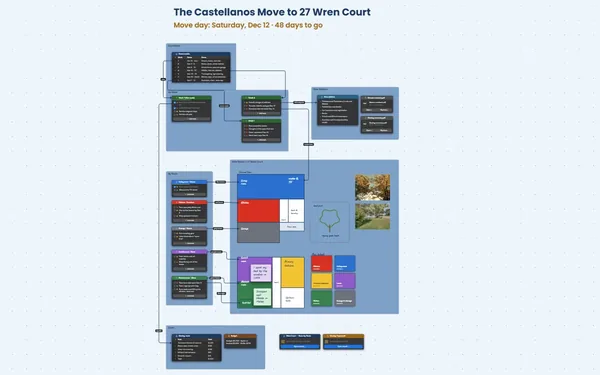
A house hunting checklist board: four houses with photos, pros and cons, a side-by-side table and must-haves linked to each.
Why house hunters put it on a board
Stop mixing up the houses
Was the big yard the one with the tiny kitchen? Put each viewing on the board the same evening: photos, price, notes, the listing. The board remembers, so you don’t have to.
Four homes, one screen
Each home in its own frame, the comparison table underneath. Price, bedrooms, commute, taxes and monthly cost line up row by row, under photos of the rooms you actually walked through.
Match each home to your must-haves
A line from each must-have to the facts that meet it, like “huge yard” for Biscuit. Follow them, and the house that meets four of five stands out.
Pick your front-runner
Your score, must-haves met and the monthly cost, one row each. When Linden’s column glows gold, you both know exactly why.
Decide together, even apart
Invite your partner to edit and both add notes after a viewing. Invite your parents to comment and they can point an arrow at the old roof. Only the board’s owner needs Subscriber.
How it works
Add each viewing. Photos, price, pros and cons, the same evening.
Line them up. One table: price, size, commute, taxes, monthly cost.
Check the must-haves. Draw the lines and see which home meets the most.
What goes on the board
Pick a block to see where it sits on Nadia & Chris’s board.
Questions
Can I bring in listing details?
Yes. Add the listing as a link, drop in the photos and copy the facts into the comparison table. If you already track homes in a spreadsheet, save it as CSV and import it as a table.
Does it work out my mortgage?
No. The board doesn’t calculate anything. Add your lender’s estimates to the comparison table, so the monthly cost sits right beside the price, the commute and the photos of each home.
Does it work for rentals too?
Yes. Swap price and taxes for rent, deposit, lease length and pet rules, and the same layout compares apartments. Keep each application letter beside its home as a file, ready when you decide.
Is it really free?
Yes. No limits on your free boards, saved anywhere: make as many as you like, with as many pictures and blocks as you like. They save on your computer, in your browser, or in your own Google Drive or OneDrive. The $5 Subscriber plan adds share links to view, comment, present or edit together live.
Who keeps my boards?
You do. Every board is a file you own: on your computer, in your browser, or in your own Google Drive or OneDrive. If you stop subscribing, your boards stay right where they are.
Does it work offline?
Yes. Install it from your browser in one click and it opens and saves like any app, with no connection.