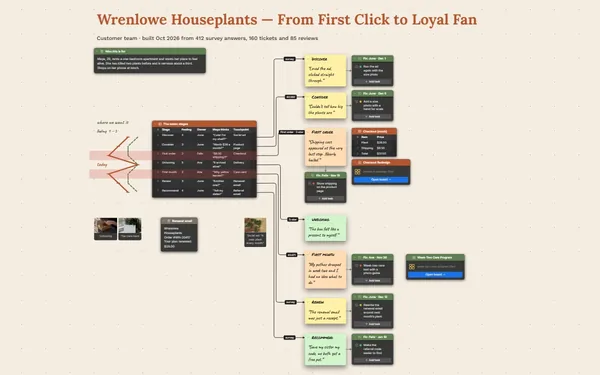
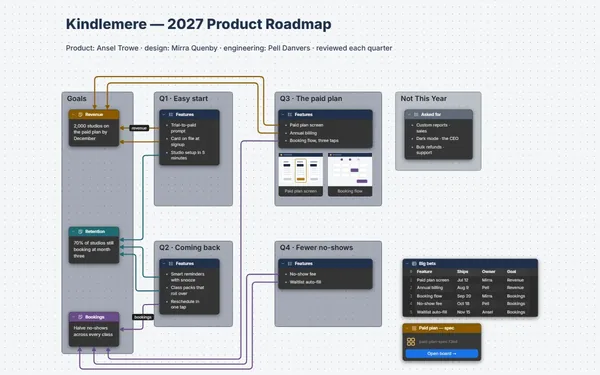
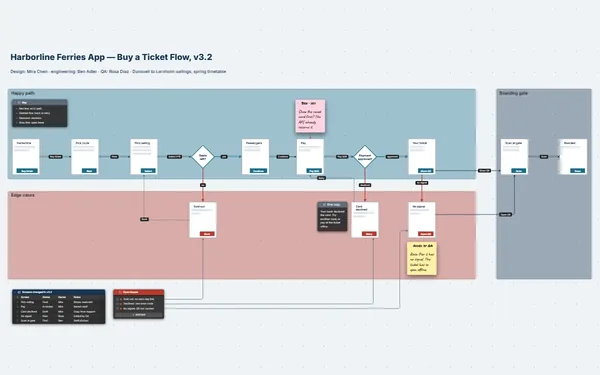
A user persona template where each persona gets a face, a quote, goals and frustrations, and every frustration has a line to the feature that answers it.
Futur3 Board is in private beta. Invited accounts get every Subscriber feature free during the beta. No limits on your free boards, saved anywhere.
A user persona template board: three personas with portraits, quotes, goals and frustrations, linked to features.
Why product and marketing put it on a board
Turn notes into people
After nine interviews, everyone starts to blur. Drop each quote, goal and complaint on the board as you go, and three clear people step out of the pile.
Remember who said it
Rosa runs a dog-grooming van and hears about no-shows too late. Her words stay on the board as a sticky note, so the team quotes her, not a statistic.
See where they overlap
Three persona frames side by side, each with a portrait, a quote, goals and frustrations. You can see where their needs meet, and where they pull apart.
Link frustrations to features
Draw a line from Rosa’s “I find out about no-shows too late” to the feature that fixes it, and another back to the interview. Every roadmap choice has a reason.
Introduce them at the kickoff
One camera view per persona, full screen (Subscriber). The portrait fades in, then goals and frustrations appear one click at a time. New teammates meet Rosa, Dev and Tyler in ten minutes.
How it works
A frame per persona. Portrait, quote, goals and frustrations.
Keep the evidence close. An interview table beside them, every goal linked to its row.
Share with the team. Invite sales and support by email to comment (Subscriber).
What goes on the board
Pick a block to see where it sits on Fieldnote’s board.
Questions
Can the interview notes live with the personas?
Yes. Put an interview table beside them and draw a line from any goal or frustration to the row it came from. A persona is a composite, so keep the rows to roles and quotes, not customers’ details.
Can sales add what customers tell them?
Yes. Invite them by email to comment (Subscriber). They point an arrow at a specific goal or quote and reply to each other, while your product team keeps editing. Only the board’s owner needs Subscriber.
Do I need stock photos?
No. Use any image you have the right to use. Many teams draw a portrait, so nobody mistakes a persona for a real customer.
Is it really free?
Yes. No limits on your free boards, saved anywhere: make as many as you like, with as many pictures and blocks as you like. They save on your computer, in your browser, or in your own Google Drive or OneDrive. The $5 Subscriber plan adds share links to view, comment, present or edit together live.
Who keeps my boards?
You do. Every board is a file you own: on your computer, in your browser, or in your own Google Drive or OneDrive. If you stop subscribing, your boards stay right where they are.
Does it work offline?
Yes. Install it from your browser in one click and it opens and saves like any app, with no connection.