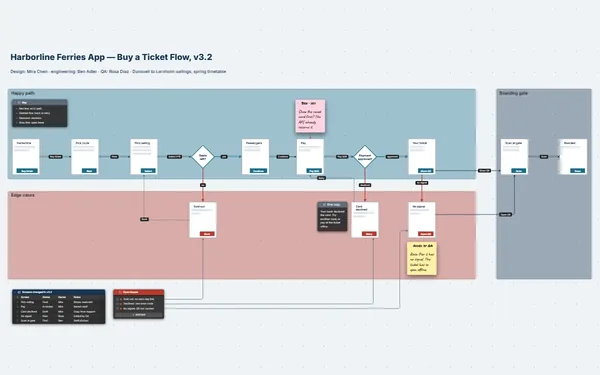
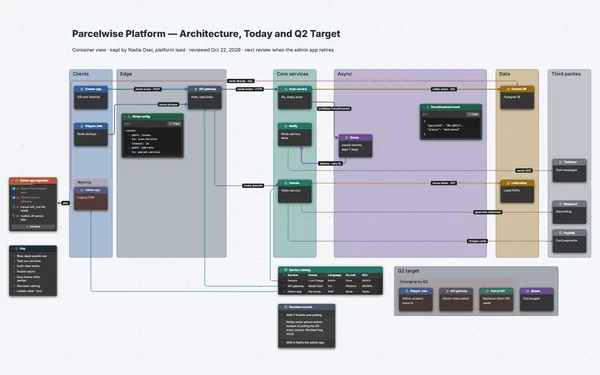
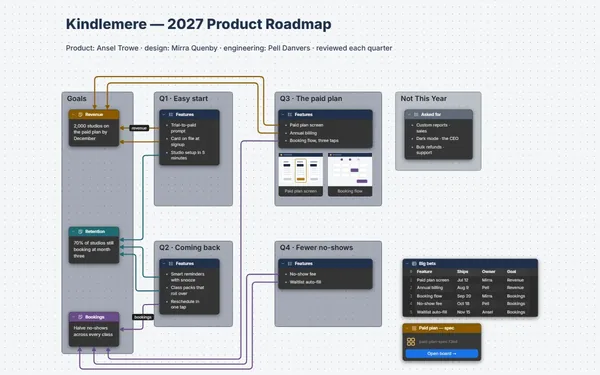
A product requirements document laid out as a board: goals, user stories, requirements, wireframes and tasks side by side, a line from every requirement to its work.
Futur3 Board is in private beta. Invited accounts get every Subscriber feature free during the beta. No limits on your free boards, saved anywhere.
A product requirements document as a board: goals, user stories, numbered requirements, wireframes and build tasks, linked.

The customer calls, the edge case from standup, the design file, the half-written ticket. Pull them onto one board, and stop rebuilding the spec from memory every time someone asks what’s in scope.

Goals, the requirements table, the wireframes and the build to-do, side by side. Zoom out and you spot the missing screen, for pausing a schedule, before QA does.

Draw a line from REQ-03 to the task that builds it and the wireframe that shows it. A requirement with no line out is a gap. A task with no line in is scope creep.

Must, should and could, side by side with the effort on each task. When the date won’t move, you choose what waits for v2 in one meeting, and everyone sees why.

Invite the team to edit and everyone works on the spec at once, pointers named. An arrowed comment lands on the exact requirement row, with the decision beside it. Only the board’s owner needs Subscriber.
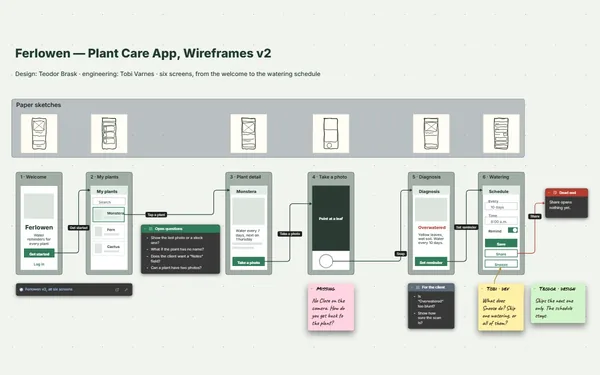
Pick a block to see where it sits on Billowrey’s board.
No. The board is where you shape the feature and agree on it. The requirements table exports to CSV, so you can bring the rows into whatever tracker you use.
Add a Link block to it beside the stories it covers, with screenshots as images, so the board still reads well when nobody clicks through.
Yes. Set camera views from problem to stories to requirements to plan, and present full screen, the user stories revealed one click at a time (Subscriber), so nobody reads ahead.
Yes. No limits on your free boards, saved anywhere: make as many as you like, with as many pictures and blocks as you like. They save on your computer, in your browser, or in your own Google Drive or OneDrive. The $5 Subscriber plan adds share links to view, comment, present or edit together live.
You do. Every board is a file you own: on your computer, in your browser, or in your own Google Drive or OneDrive. If you stop subscribing, your boards stay right where they are.
Yes. Install it from your browser in one click and it opens and saves like any app, with no connection.