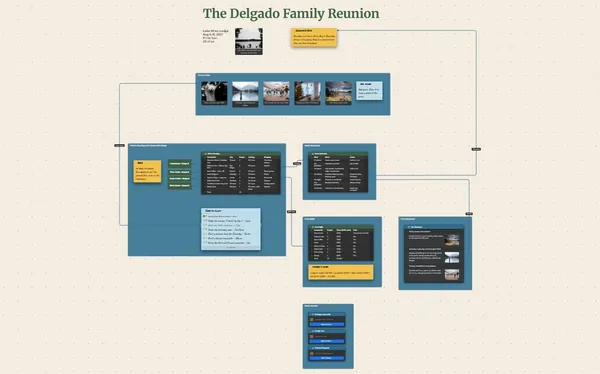
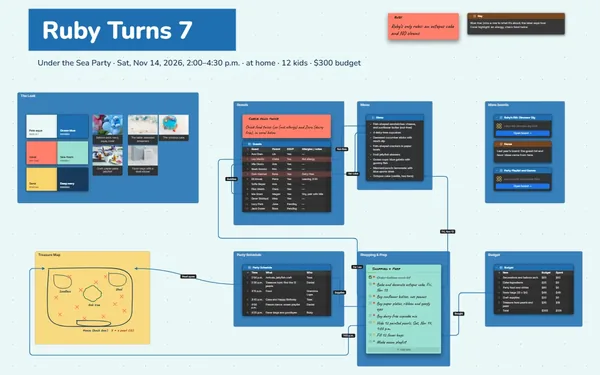
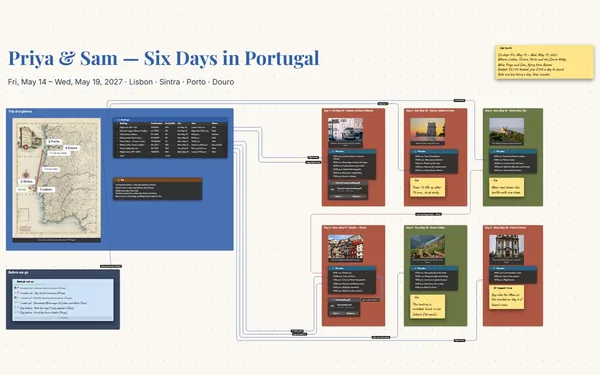
A group trip planner the whole group edits at once: who’s coming, where you’re staying, what you’re doing, who’s cooking and what everyone owes, on one board.
Futur3 Board is in private beta. Invited accounts get every Subscriber feature free during the beta. No limits on your free boards, saved anywhere.
A group trip planner board: who’s in, the cabin photos, the activity vote and shared costs.

Who’s driving, who’s vegetarian, who’s sharing a room. Put it on the board, and stop answering the same question twelve times.

Everyone claims a meal, votes on the kayaks and ticks off the cooler, each with their own pointer and name. Only the board’s owner needs Subscriber.

A line from Saturday’s barbecue to Dev and Rory. Follow it and you know who’s on it.

The cabin, the dock, the fire pit at sunset. When people can see it weeks ahead, “maybe” turns into “I’m in.”

Who’s in, where everyone sleeps, what you’re doing each day and what it costs, side by side. One look answers the question before anyone types it.
Pick a block to see where it sits on The Lake Crew’s board.
Yes. Whoever owns the board invites the group to edit, and everyone sees each other’s pointers, names and selections live. You can let some people only comment, send a view-only link to everyone else, and switch any link off when the trip is over. Only the board’s owner needs Subscriber.
No. Add them by email and send the link. They sign in with Google or Microsoft in any browser, on a phone or a laptop, and start adding. Anyone who wants the plan offline can install it from the browser in one click.
Keep a costs table with who paid for what and each person’s share. Everyone can see it, so nobody has to ask, and you can export it as CSV to settle up in a spreadsheet.
Yes. No limits on your free boards, saved anywhere: make as many as you like, with as many pictures and blocks as you like. They save on your computer, in your browser, or in your own Google Drive or OneDrive. The $5 Subscriber plan adds share links to view, comment, present or edit together live.
You do. Every board is a file you own: on your computer, in your browser, or in your own Google Drive or OneDrive. If you stop subscribing, your boards stay right where they are.
Yes. Install it from your browser in one click and it opens and saves like any app, with no connection.