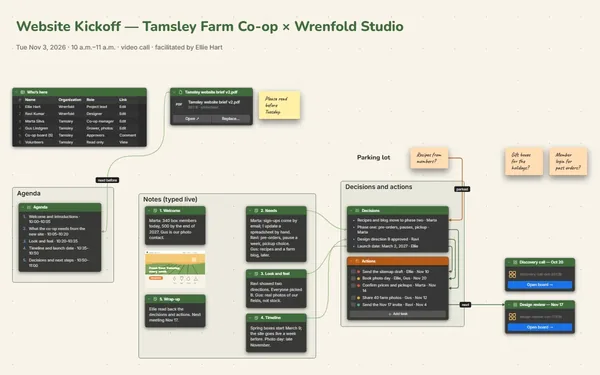
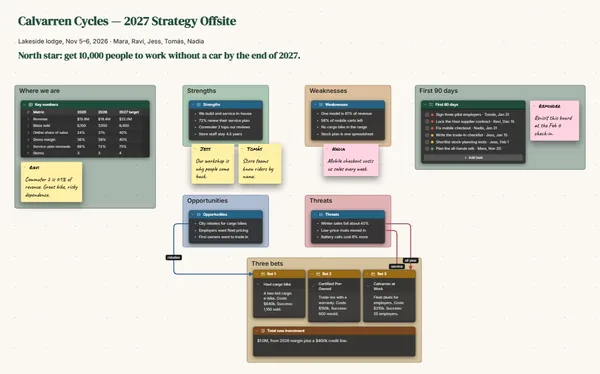
A brainstorming board online where everyone writes at once: one question in the middle, sticky notes from the whole team, then lines that pull the best ideas into a shortlist.
Futur3 Board is in private beta. Invited accounts get every Subscriber feature free during the beta. No limits on your free boards, saved anywhere.
A brainstorming board online: sticky notes from the whole team around one question, grouped into themes.

Nobody waits for a turn. Everyone types onto their own sticky note at the same time, so the idea someone had in the car finally makes it onto the wall.

Invite the team by email and they join from their own laptops. You watch each pointer and name as the notes appear. Only the board’s owner needs Subscriber.

Each theme gets its own frame, so forty notes stay readable. Zoom out, and the empty frame shows you where the next idea is hiding.

Draw a curved line between two notes and label it “combine.” Run another to the shortlist. By the end, the lines show how scraps became three ideas worth doing.

Everyone draws a marker dot beside their favorites. The ideas with the most dots go into the shortlist table with their votes and an owner, before the hour is up.
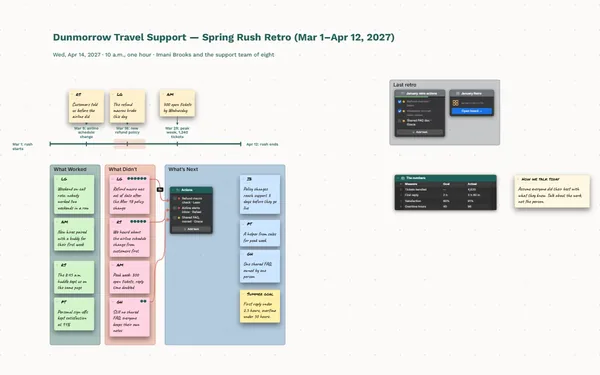
Pick a block to see where it sits on Halvenor Library’s board.
Yes. Invite the team by email to edit, and everyone writes at once with their own pointer, name and selection showing. Only the board’s owner needs Subscriber. People who should react without writing can be invited to comment instead.
No. They sign in with Google or Microsoft in any browser, free, and start writing. Anyone who wants the board on their own machine can install it from the browser in one click.
Everyone draws a marker dot beside the notes they like best. Count the dots, then move the winners into the shortlist table with an owner and a next step.
Yes. No limits on your free boards, saved anywhere: make as many as you like, with as many pictures and blocks as you like. They save on your computer, in your browser, or in your own Google Drive or OneDrive. The $5 Subscriber plan adds share links to view, comment, present or edit together live.
You do. Every board is a file you own: on your computer, in your browser, or in your own Google Drive or OneDrive. If you stop subscribing, your boards stay right where they are.
Yes. Install it from your browser in one click and it opens and saves like any app, with no connection.